
Addition up to 5: Random segments and distribution constraints
Loading the math board and drawing, please wait…
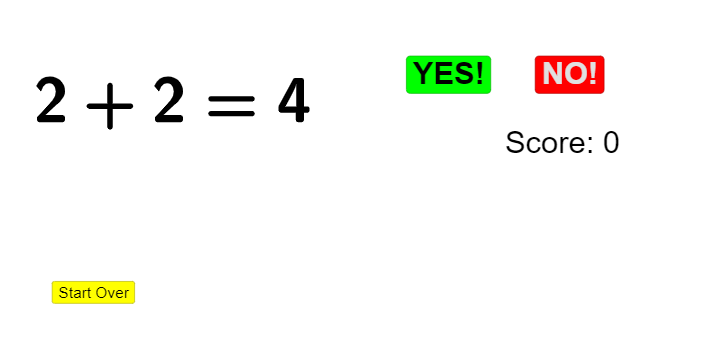
This GeoGebra example demonstrates how discrete addition outcomes (up to 5) can be explored interactively by generating random quantities and visualizing the resulting sums/differences under geometric and probabilistic constraints. It connects the displayed results to key ideas such as binomial and geometric distributions (probability & counting), comparisons expressed as inequalities, and geometry-related curve forms (e.g., ellipse/hyperbola-like behavior arising from constraints). Construction is driven by commands and objects from the provided build summary: Random and RandomElement create the variable values (objects like a, b, c, d, e), while Segment constructs the corresponding geometric pieces; the computations of sum and diff are then used to update function/constraint objects (including f) and annotations (text1–text8). Interactive buttons (button1–button4), toggles (yes/no), and a score display help students switch scenarios and track which addition outcomes satisfy the intended conditions, linking the arithmetic exploration to probability/statistics interpretation. Suitable for middle school through early undergraduate use in probability & statistics and coordinate/graphing-based lessons, especially for classroom demonstrations and guided inquiry.
GeoGebra Commands & Parameters
Random(1, 5) → aRandom(1, 5) → bSegment((0, 4.9), (8, 4.9)) → fRandom(0, 1) → cRandomElement({sum, sum, sum, sum - 1, sum + 1}) → e
AI Drawing Prompt Reference
Create a mathematical probability demonstration with a horizontal line segment and dynamic text labels. Place a horizontal segment from x=0 to x=8 in the coordinate system, with two random numbers (range 1-5) displayed above the line. Show inequality comparison expressions demonstrating addition and subtraction results (some equal to a value, some one more or less than a value). Include probability distribution visualization elements, using colors or symbols to distinguish different operation types. Add interactive buttons to refresh random numbers, updating sum and difference values in real-time, and annotate statistical information at appropriate positions in the graphic.
The prompt above was compiled from the original drawing commands and is for reference only.