
Visual Geometric Demonstration of Integer Addition
Loading the math board and drawing, please wait…
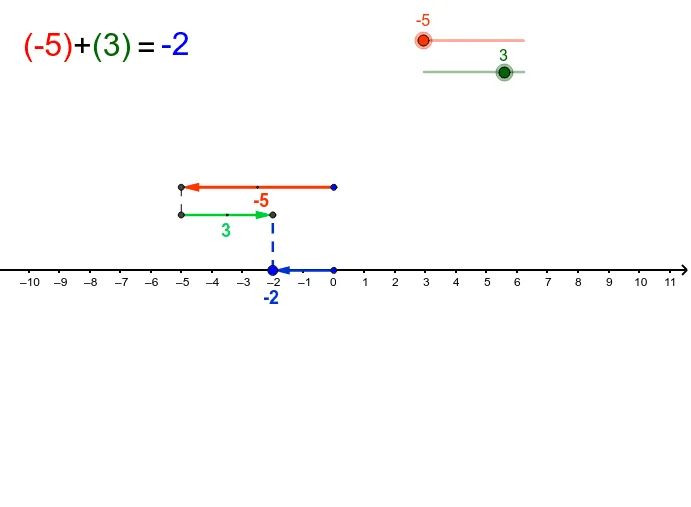
This example visually demonstrates the process of adding two integers by translating abstract arithmetic operations into geometric displacements using vectors and segments. The core mathematical concepts involved include integer addition, vector addition, and the geometric representation of numbers, illustrating the concept of combining quantities. To construct this applet, key GeoGebra commands such as Vector, Segment, and Midpoint are utilized to define geometric objects like a, b, C, P, u, Q, R, v, d, and E, alongside dynamic text elements to display values and feedback. It is highly suitable for middle school or late elementary school mathematics curricula, serving as an interactive tool to introduce basic arithmetic, vector concepts, and the visual intuition behind addition.
GeoGebra Commands & Parameters
Vector(C, P) → uVector(Q, R) → vSegment(P, Q) → dMidpoint(Q, R) → EMidpoint(C, P) → AVector(D, B) → wSegment(B, R) → c
AI Drawing Prompt Reference
Draw a geometric illustration of integer addition. The illustration includes points A and B, and point C. There is a line segment between A and B, and point C is connected to A and B. Also include vectors and points D, E to represent the addition process. The overall design should be intuitive to help understand the concept of integer addition.
The prompt above was compiled from the original drawing commands and is for reference only.