
Probability: Selecting Balls
Loading the math board and drawing, please wait…
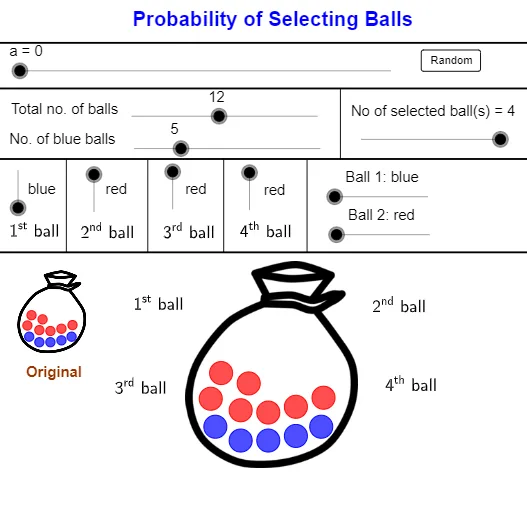
This example demonstrates probability and statistics concepts through the selection of balls. Core math concepts include probability calculation, random events, and set operations. GeoGebra commands and objects used in construction are Sequence, Shuffle, If, Point, and Segment, visualizing the ball selection process to enhance understanding of probability models. Suitable for high school probability statistics teaching and self-learning purposes.
GeoGebra Commands & Parameters
Sequence(Circle[Element[Centre00, i], BallRadius], i, 2, NoB + 1) → BallBlueList01Sequence(Circle[Element[Centre00, i], BallRadius], i, NoB + 2, nb + 1) → BallRedList01Sequence(i, i, 2, NoB + 1) → BlueListSequence(i, i, NoB + 2, nb + 1) → RedListShuffle(BlueList) → BlueRandomList, {6, 2, 3, 4, 5}Shuffle(RedList) → RedRandomList, {10, 8, 11, 7, 13, 12, 9}Sequence(If[Element[SelectedColourNoList, i] ≟ 1, Element[BlueRandomList, i], Element[RedRandomList, i]], i, 1, NoS) → SelectNoListSequence(Circle[Element[Centre001, i], BallRadiusSmall], i, 2, NoB + 1) → BallBlueList001Sequence(Circle[Element[Centre001, i], BallRadiusSmall], i, NoB + 2, nb + 1) → BallRedList001Sequence(Element[Centre00, Element[SelectNoList, i]], i, 1, NoS) → MoveStartIf(a < 5, Element[MoveStart, 1], If[a > 15, C01, (FindCor(a, 5, 15, x(Element[MoveStart, 1]), x(C01)), FindCor(a, 5, 15, y(Element[MoveStart, 1]), y(C01)))]) → C01MoveIf(a < 25, Element[MoveStart, 2], If[a > 35, C02, (FindCor(a, 25, 35, x(Element[MoveStart, 2]), x(C02)), FindCor(a, 25, 35, y(Element[MoveStart, 2]), y(C02)))]) → C02MoveIf(a < 45, Element[MoveStart, 3], If[a > 55, C03, (FindCor(a, 45, 55, x(Element[MoveStart, 3]), x(C03)), FindCor(a, 45, 55, y(Element[MoveStart, 3]), y(C03)))]) → C03MoveIf(a < 65, Element[MoveStart, 4], If[a > 75, C04, (FindCor(a, 65, 75, x(Element[MoveStart, 4]), x(C04)), FindCor(a, 65, 75, y(Element[MoveStart, 4]), y(C04)))]) → C04MoveSequence(If[Element[SelectedColourNoList, i] ≟ 1, Circle[Element[MoveCentre, i], BallRadius]], i, 1, NoS) → BallBlueSelectedListSequence(If[Element[SelectedColourNoList, i] ≟ 2, Circle[Element[MoveCentre, i], BallRadius]], i, 1, NoS) → BallRedSelectedListSequence(Circle[Element[MoveStart, i], (Lfactor * BallRadius)], i, 1, NoS) → WhiteCircleListIf(Ball01 ≟ 1, NoOfBlue00 - 1, NoOfBlue00) → NoOfBlue01If(Ball02 ≟ 1, NoOfBlue01 - 1, NoOfBlue01) → NoOfBlue02If(Ball03 ≟ 1, NoOfBlue02 - 1, NoOfBlue02) → NoOfBlue03If(Ball04 ≟ 1, NoOfBlue03 - 1, NoOfBlue03) → NoOfBlue04If(Ball01 ≟ 2, NoOfRed00 - 1, NoOfRed00) → NoOfRed01If(Ball02 ≟ 2, NoOfRed01 - 1, NoOfRed01) → NoOfRed02If(Ball03 ≟ 2, NoOfRed02 - 1, NoOfRed02) → NoOfRed03If(Ball04 ≟ 2, NoOfRed03 - 1, NoOfRed03) → NoOfRed04Sequence(If[Element[SelectedColourNoList, i] ≟ 1, Element[NoOfBlue, i], Element[NoOfRed, i]], i, 1, NoS + 1) → NoOfBallNumeratorPoint(d) → Z06Point(c) → Z05Segment(Z05, Y05) → mSegment(Z06, Y06) → kPoint(d) → Z07Point(d) → Z08Point(d) → Z09Segment(Z07, Y07) → nSegment(Z08, Y08) → pSegment(Z09, Y09) → q