
Verifying Perpendicularity of Vertical Edges in a Cuboid
Loading the math board and drawing, please wait…
In collections
Projections and Angles
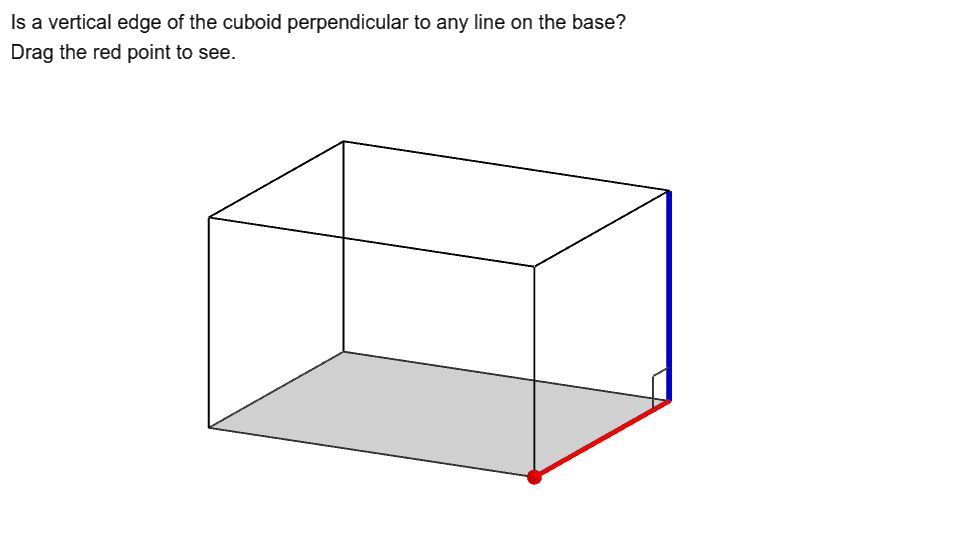
This GeoGebra example demonstrates how to verify the perpendicularity of vertical edges in a cuboid. Using GeoGebra commands including Translate, Polygon, Segment, PointIn, Point, and Angle, the construction creates a cuboid model with key vertices A, B, C, D, edges a, f, g, h, i, j, and angle α to precisely measure and verify perpendicular relationships. The construction incorporates polygon objects and text labels to visually present the geometric principles of perpendicularity between lines and planes in solid geometry. This example is ideal for secondary school solid geometry instruction, helping students understand the geometric properties of prisms and master methods for verifying perpendicular relationships. It serves as an excellent demonstration resource for geometry construction teaching.
GeoGebra Commands & Parameters
Translate(Prism[Polygon[A, A + (5, 0), A + (5, 4), A + (0, 4)], 3], Vector[(0, 0)]) → aPolygon(A, A + (5, 0), A + (5, 4), A + (0, 4)) → poly1, a_1, f, g, hSegment(A + (5, 4), A + (5, 4, 3)) → iPointIn(poly1) → BPoint(i) → CSegment(B, C) → jAngle(D, C, B) → α
AI Drawing Prompt Reference
Draw a cuboid with a rectangular base of length 5 and width 4, and height 3. Start by drawing the base rectangle, then extend vertical edges upward from its four vertices to form the cuboid. Pick a point inside the base rectangle and another point on one vertical edge, then connect these two points with a segment. At another vertex of the base, measure and label the angle formed by that vertex, the point on the vertical edge, and the interior point. This illustrates the perpendicular relationship between the vertical edge and the segment inside the base.
The prompt above was compiled from the original drawing commands and is for reference only.