
Vectors Example 3: Vectors and Angles
Loading the math board and drawing, please wait…
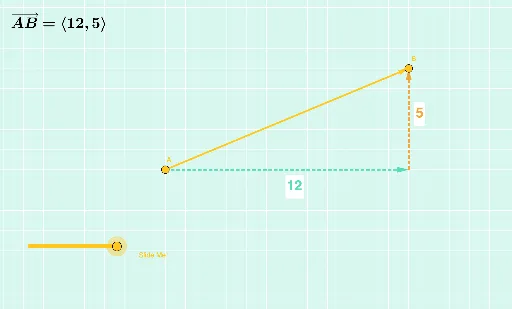
This example demonstrates the relationship between vectors and angles. Key mathematical concepts include vectors and angles. Using GeoGebra commands such as Intersect, Dilate, and Vector, the relationship between vectors and angles is constructed. Suitable for high school mathematics education and learning.
GeoGebra Commands & Parameters
Intersect(f, g) → CDilate(A, If[0 < a ≤ 1, 1 - a, 0], C) → A'Vector(A, A') → uDilate(C, If[1 < a ≤ 2, 2 - a, 0], B) → C'Vector(C, C') → vDistance(A, C) → distanceACDistance(C, B) → distanceCBDilate(A, If[2 < a ≤ 3, 3 - a, 0], B) → A'_1Vector(A, A'_1) → wDistance(A, B) → distanceABTextfield(n) → InputBox1Textfield(i) → InputBox2
AI Drawing Prompt Reference
Draw a diagram showing the relationship between vectors and angles. Start by drawing two points A and B, then draw a line segment between them. Next, draw a vector u from point A to a new point A', where A' is obtained by scaling point A along the line segment AB. Then, draw a vector v from point C to a new point C', where C' is obtained by scaling point C along the line segment CB. Finally, draw a vector w from point A to a new point A'_1, where A'_1 is obtained by scaling point A along the line segment AB.
The prompt above was compiled from the original drawing commands and is for reference only.