
Vectors and Planes
Loading the math board and drawing, please wait…
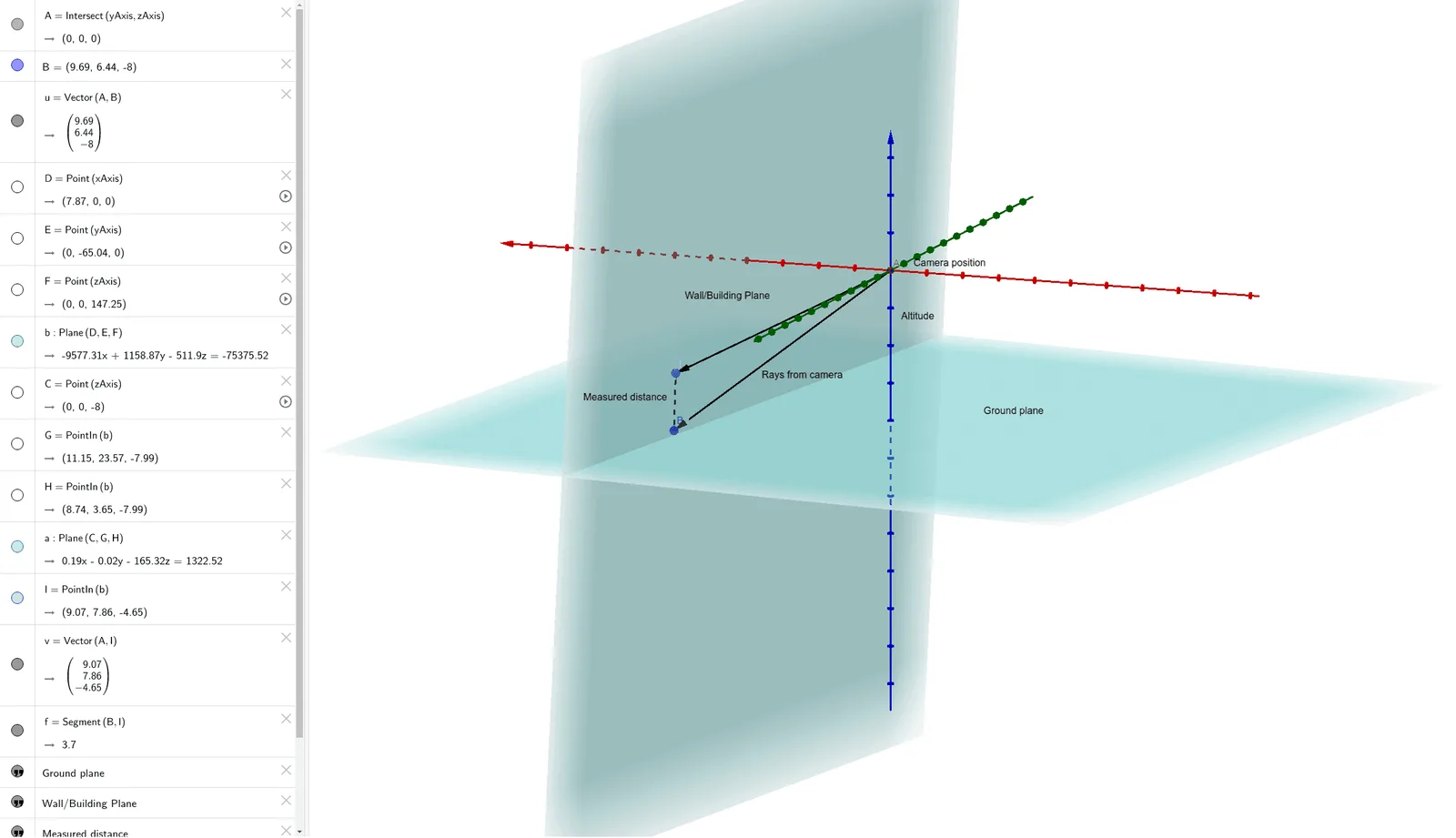
This example demonstrates the geometric relationship between vectors and planes, including intersection calculations. Key math concepts involve vectors, plane equations, normal vectors, and intersection solving. Construction highlights GeoGebra commands like Intersect, Vector, Point, Plane, PointIn, and Segment. Suitable for high school solid geometry teaching and geometric construction practice.
GeoGebra Commands & Parameters
Intersect(yAxis, zAxis) → AVector(A, B) → uPoint(xAxis) → DPoint(yAxis) → EPoint(zAxis) → FPlane(D, E, F) → bPoint(zAxis) → CPointIn(b) → GPointIn(b) → HPlane(C, G, H) → aPointIn(b) → IVector(A, I) → vSegment(B, I) → f
AI Drawing Prompt Reference
Draw a 3D space diagram showing the relationship between vectors and planes. Start by drawing vector u at the intersection of the y-axis and z-axis. Then, take point D on the x-axis and points E and F on the y-axis and z-axis respectively to form plane b. Next, take point C on the z-axis and select points G and H on plane b to form plane a. Finally, select point I on plane b and draw vector v and line segment f.
The prompt above was compiled from the original drawing commands and is for reference only.