
Vectors: Addition and Subtraction (Graphically)
Loading the math board and drawing, please wait…
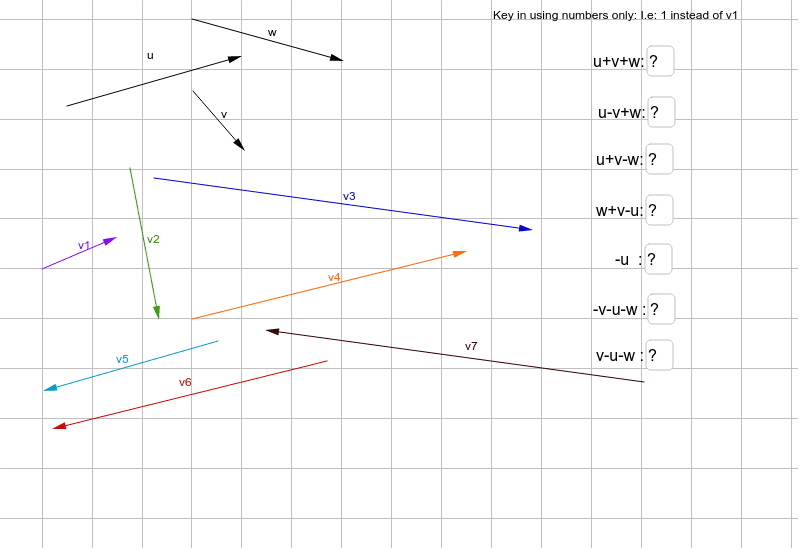
This example demonstrates vector addition and subtraction operations through graphical methods. Key math concepts include vectors, geometric constructions, rhombuses, differences, and slopes. It utilizes GeoGebra commands like Vector, Textfield, and If, focusing on object creation and conditional logic. Ideal for high school mathematics education and geometric learning.
GeoGebra Commands & Parameters
Vector(A, B) → uVector(C, D) → vVector(E, F) → wVector(G, H) → v3Vector(I, J) → v4Vector(K, L) → v1Vector(M, N) → v2Vector(O, P) → v6Vector(Q, R) → v7Vector(S, T) → v5Textfield(aa) → InputBox1If(aa ≟ ba, "Correct", "Wrong") → text1Textfield(ab) → InputBox2Textfield(ac) → InputBox3Textfield(ad) → InputBox4Textfield(ae) → InputBox5Textfield(af) → InputBox7Textfield(ag) → InputBox6If(ab ≟ bb, "Correct", "Wrong") → text2If(ac ≟ bc, "Correct", "Wrong") → text3If(ad ≟ bd, "Correct", "Wrong") → text4If(ae ≟ be, "Correct", "Wrong") → text5If(af ≟ bf, "Correct", "Wrong") → text6If(ag ≟ bg, "Correct", "Wrong") → text7