
Sine, Cosine, Tangent and the Unit Circle
Loading the math board and drawing, please wait…
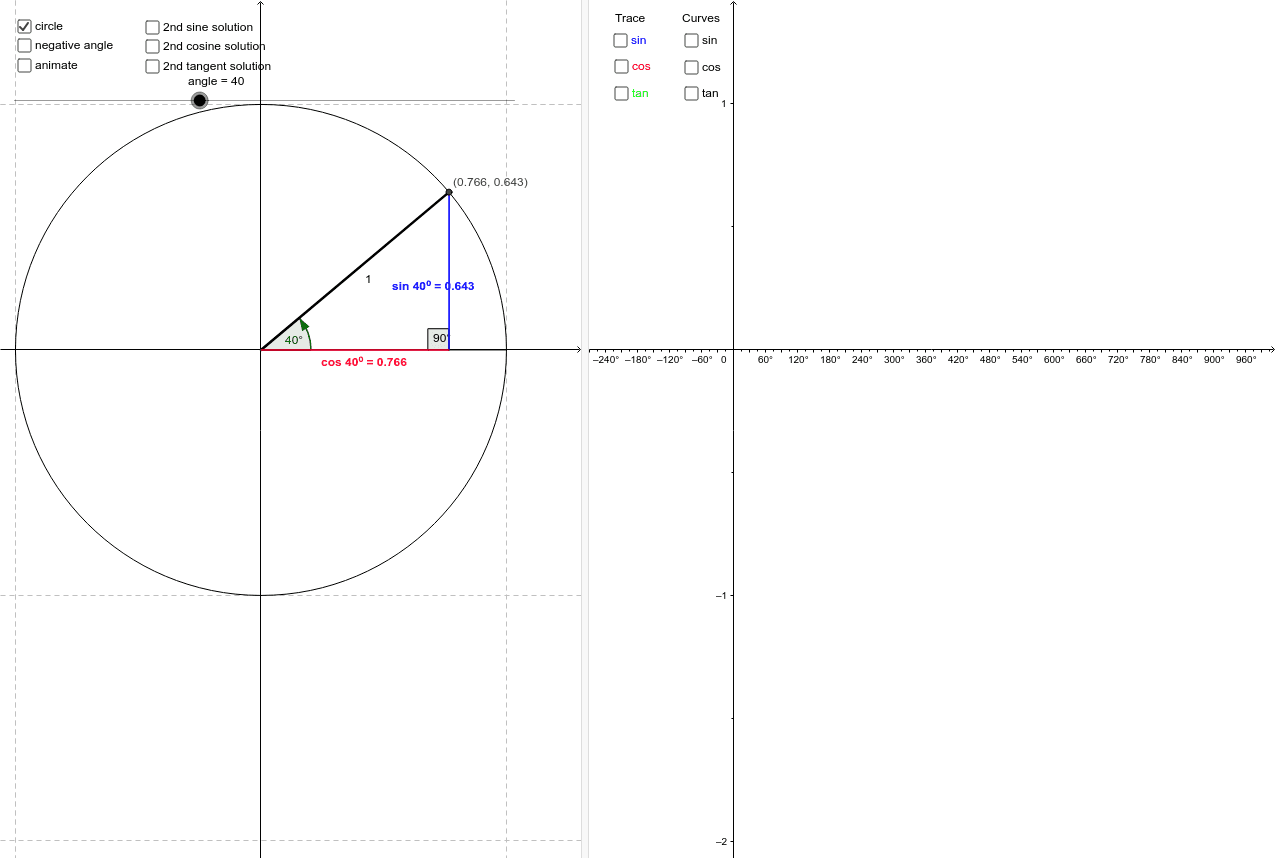
This example dynamically demonstrates the relationship between coordinates on the unit circle and the values of sine, cosine, and tangent functions, visually showcasing the geometric meaning of trigonometric functions. It involves core mathematical concepts such as the unit circle, trigonometric function definitions, angle measurement, and similarity transformations. GeoGebra commands like Intersect, Circle, Segment, Rotate, Angle, Distance, and Midpoint are used in the construction. Suitable for high school mathematics teaching to help students understand the connection between trigonometric functions and geometric figures, enhancing spatial reasoning skills.
GeoGebra Commands & Parameters
Intersect(xAxis, yAxis) → ACircle(A, 1) → cSegment(A, B) → aRotate(B, angle°, A) → B'Angle(B, A, B') → αSegment(A, B') → bSegment(B', C) → dDistance(C, B') → distanceCB'Midpoint(C, B') → EMidpoint(A, C) → DSegment(A, C) → eAngle(A, C, B') → βAngle(B', A, (1, 0)) → γRotate(B, (180 - angle)°, A) → B'_1Segment(B'_1, B') → nSegment(A, B'_1) → sAngle((1, 0), A, B'_1) → δRotate(B, (360 - angle)°, A) → B'_2Segment(B', B'_2) → tSegment(A, B'_2) → a_1Angle((1, 0), A, B'_2) → εIntersect(n, yAxis) → IRotate((1, 0), (180 + angle)°, A) → JSegment(A, J) → b_1Angle((1, 0), A, J) → ζ
AI Drawing Prompt Reference
Draw a unit circle and mark the intersection point with the positive x-axis. Draw a line from this point to any point on the circle, then rotate to another point on the circle, connecting these two points and labeling the angle formed. Show the geometric meaning of the sine, cosine, and tangent values corresponding to this angle on the unit circle, including related line segments and angles. Finally, rotate the entire figure by 180 degrees and 360 degrees to demonstrate symmetry.
The prompt above was compiled from the original drawing commands and is for reference only.