
Constructing the Tangent Function from the Unit Circle
Loading the math board and drawing, please wait…
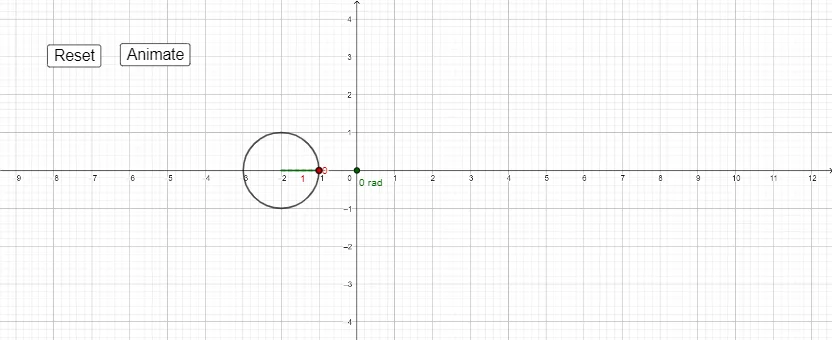
This example demonstrates how to derive and visualize the tangent function using geometric relationships from the unit circle. It centers on the unit circle, angle-based constructions, right-triangle side ratios, and the meaning of tan(θ), linking the geometry to a functional representation. The construction uses GeoGebra commands Point, Angle, Segment, If, and Slope to create key points and angle measures, build the required segments, apply conditional logic (e.g., handling different angle regions or special cases), and compute/update the slope so that it reflects the tangent relationship as the angle changes. Visually and interactively, it relies on construction objects such as the main points (e.g., A, B, C, D), an angle parameter, and function/geometry elements (e.g., f, h and other auxiliary variables), along with controls like revcount and buttons (button1/button2) to drive the angle variation and update the resulting function/graph behavior. Suitable for high-school advanced learners and early university students to build intuition for trigonometric functions through geometric interpretation.
GeoGebra Commands & Parameters
Point(eq1) → AAngle((-1, 0), (-2, 0), A) → angleSegment((-2, 0), A) → fSegment((-1, 0), A) → hIf(h < 0.02, 1, 0) → aSegment((x(B), 0), B) → iSegment((-2, 0), D) → kSegment(D, B) → jSegment((x(D), 0), D) → gSlope(k) → c
AI Drawing Prompt Reference
Construct a dynamic geometric figure that illustrates the tangent function using the unit circle. Start with a unit circle centered at the origin, and place a moving point on the circle that changes with an angle. Draw a ray from the center to this point, and mark the angle between the ray and the positive x-axis. From the moving point, drop a perpendicular to the x-axis, forming a right triangle. Use the ratio of the vertical leg to the horizontal leg to plot the tangent value on a coordinate plane. Adjust the vertical segment length conditionally for different quadrants to correctly show the sign of the tangent. Include a control button to incrementally increase the angle and observe the continuous evolution of the tangent curve.
The prompt above was compiled from the original drawing commands and is for reference only.