
Vector Scaling and Grid Demo
Loading the math board and drawing, please wait…
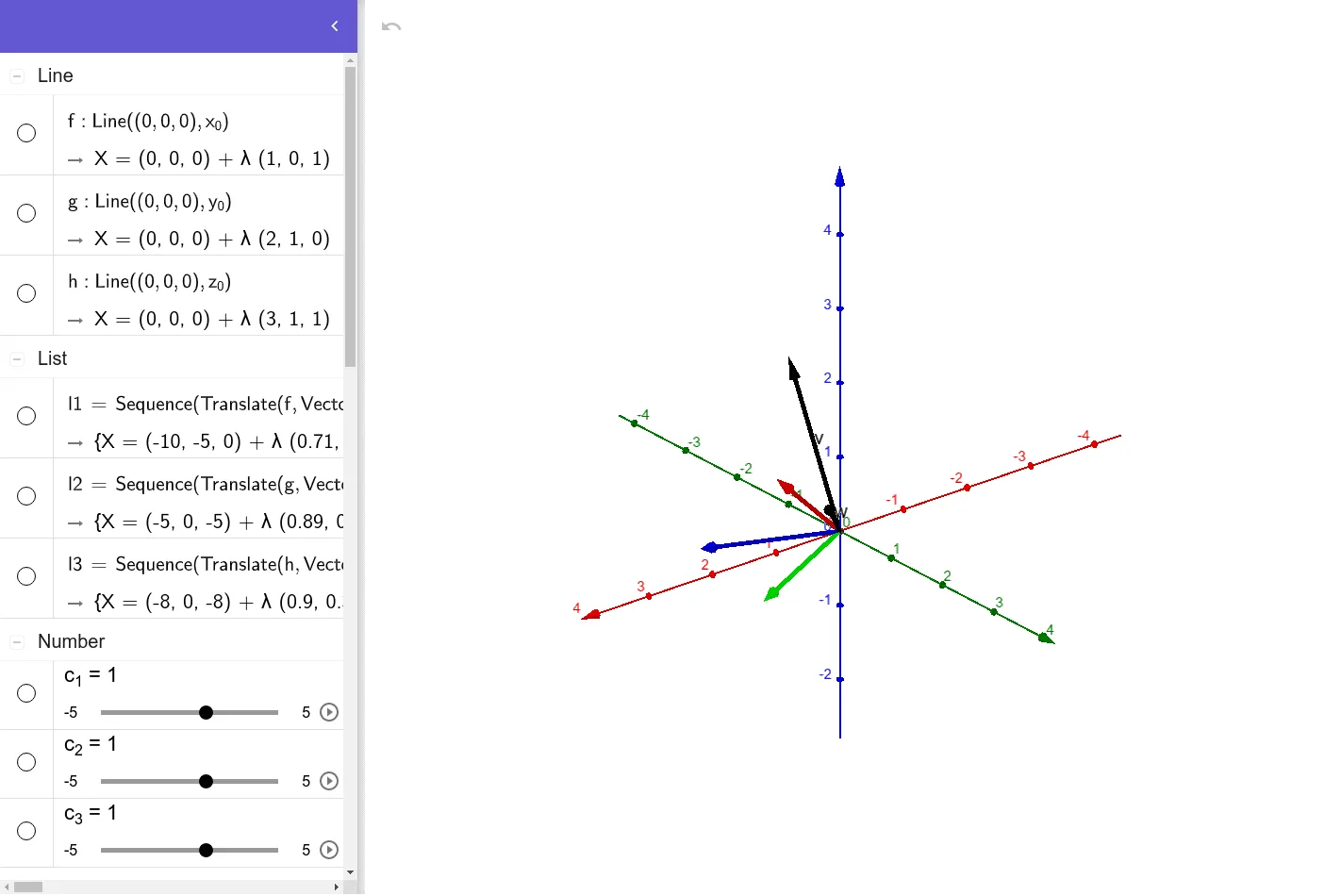
This example demonstrates vector scaling within a grid and its geometric representation. It involves core math concepts like vector operations, linear transformations, and coordinate geometry. Construction highlights include commands/objects like Point, Translate, Line, Sequence, and elements such as vectors v, w, and sequences. Suitable for high school and above students learning vectors, transformations, and geometric constructions.
GeoGebra Commands & Parameters
Point((0, 0, 0), p_{1}) → ATranslate(Vector[(-y_{0})], A) → uLine((0, 0, 0), x_{0}) → fSequence(Translate[f, Vector[(w * y_{0})]], w, -5, 5) → l1Line((0, 0, 0), y_{0}) → gSequence(Translate[g, Vector[(w * x_{0})]], w, -5, 5) → l2Line((0, 0, 0), z_{0}) → hSequence(Translate[h, Vector[(w * x_{0})]], w, -8, 8) → l3
AI Drawing Prompt Reference
Draw a grid in a coordinate system with parallel lines along the x-axis and y-axis, all passing through the origin and extending. Start by plotting a point at the origin, then draw a vector from the origin in the negative y-direction. Next, draw a series of parallel lines along the x-axis passing through the origin. Finally, draw a series of parallel lines along the z-axis passing through the origin, creating a three-dimensional grid structure.
The prompt above was compiled from the original drawing commands and is for reference only.