
Vector Dot Product and Angle
Loading the math board and drawing, please wait…
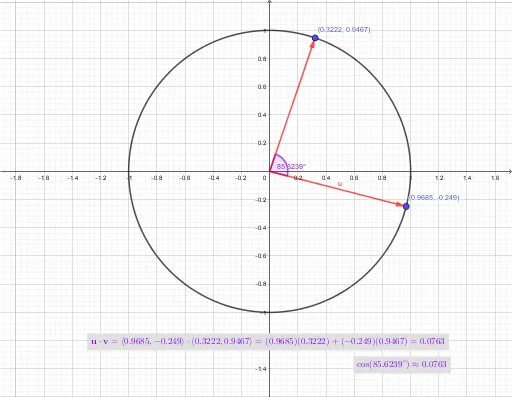
This example demonstrates how to use GeoGebra to draw unit vectors and calculate their dot product and angle using the dot product formula and cosine theorem. It involves core math concepts like vectors, the unit circle, and trigonometric functions. Constructed using commands like Point, Vector, Circle, and Angle, it's suitable for high school mathematics teaching to understand vector operations and trigonometric relationships.
GeoGebra Commands & Parameters
Point(xAxis) → CPoint(xAxis) → EVector(C, C) → v12Point(v12) → DCircle(D, E) → cPoint(c) → AVector(C, A) → uPoint(c) → BVector(C, B) → vAngle(A, C, B) → α