
Vector and Point Construction Demo
Loading the math board and drawing, please wait…
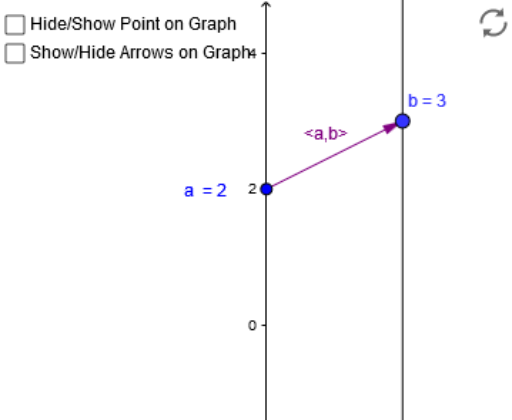
This example demonstrates the construction of points and vectors using GeoGebra commands, showcasing their geometric relationships. Core math concepts include vectors, points, and geometric construction. Construction highlights involve commands like Point and Vector to create objects such as a, A, B, u, along with text objects like text1 and text2 for labeling. Suitable for high school mathematics education to understand vector and point representation and geometric applications.
GeoGebra Commands & Parameters
Point(yAxis) → APoint(a) → BVector(A, B) → uVector(A_1, Q) → vVector(Q, B_1) → wVector(P_1, P_2) → z
AI Drawing Prompt Reference
Draw a 2D coordinate system with an arbitrary point on the y-axis. Then draw a line segment from this point to another point in the upper right direction, representing a vector. Next, draw two more line segments from the starting point of this vector to two new points, forming three vectors. Finally, add text labels to identify each point and vector, showing their geometric relationships.
The prompt above was compiled from the original drawing commands and is for reference only.