
Vector and Area in Geometry
Loading the math board and drawing, please wait…
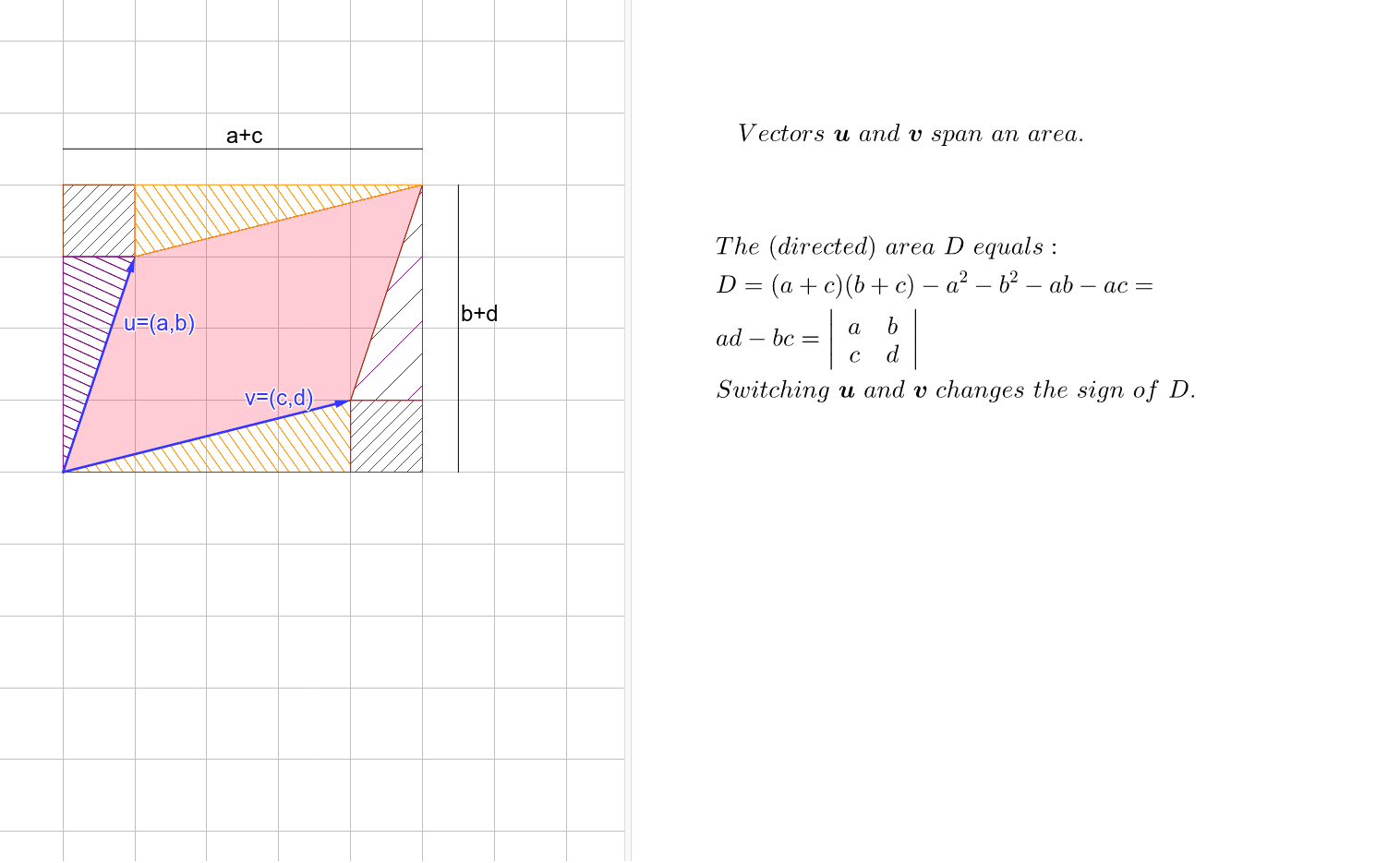
This example demonstrates how to calculate area using vectors and geometric constructions. Key mathematical concepts include vector operations, area calculation, and geometric construction. The construction involves GeoGebra commands like Intersect, Vector, Polygon, etc. It is suitable for high school students or college students learning geometry and vector applications.
GeoGebra Commands & Parameters
Intersect(xAxis, yAxis) → AVector(A, B) → uVector(A, C) → vPolygon(A, B, D, C) → poly1, a, b, d, cPoint(yAxis) → EPolygon(A, E, D, F) → poly2, a_1, e, d_1, fPoint(f) → GPoint(d_1) → HPolygon(G, C, H, F) → poly3, g, c_1, h, f_1Point(a_1) → IPoint(e) → JPolygon(B, I, E, J) → poly4, b_1, i, e_1, jPolygon(A, I, B) → poly5, b_2, a_2, i_1Polygon(C, D, H) → poly6, h_1, c_2, d_2Polygon(D, J, B) → poly7, b_3, d_3, j_1Polygon(A, G, C) → poly8, c_3, a_3, g_1Segment(K, L) → kSegment(M, N) → l
AI Drawing Prompt Reference
On a coordinate plane, start at the origin and draw two vectors along the x-axis and y-axis directions. Use these vectors to construct a parallelogram. Pick a point on the y-axis and form a second parallelogram with the origin and the top vertices of the first parallelogram. Then, choose points on the sides of this second parallelogram to create several triangles and quadrilaterals, including triangles formed by the origin, the y-axis point, and vertices of the parallelogram, as well as smaller polygons connecting points on the sides. Finally, add two segments connecting different vertices to illustrate the relationship between vectors and area.
The prompt above was compiled from the original drawing commands and is for reference only.