
Using a Protractor to Measure an Angle by Nicolas ERDRICH
Loading the math board and drawing, please wait…
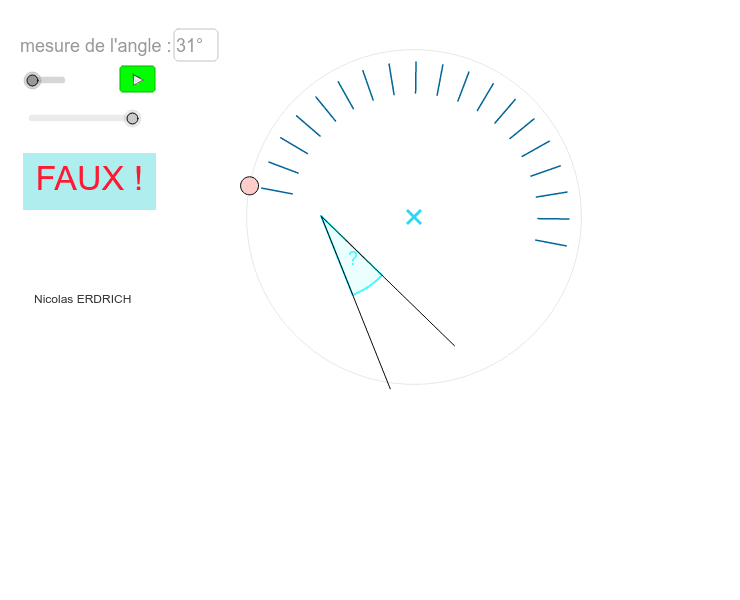
This example demonstrates how to use a protractor to measure an angle. Key mathematical concepts include angle measurement and geometric construction. Commands used include Circle, Point, Line, OrthogonalLine, If, Intersect, Vector, Segment, Sequence, Translate, Angle, and Textfield. Suitable for middle school and above students to learn angle measurement and geometric construction.
GeoGebra Commands & Parameters
Circle(A, 5.4) → cPoint(c) → BLine(B, A) → aOrthogonalLine(A, a) → bIf(n ≟ 0, Random[10, 175], Random[190, 350]) → rndomCircle(M_1, 6) → qIntersect(q, Line[M_1, M_5]) → M_2, M_4Circle(A, 4.5) → gCircle(A, 4) → eCircle(A, 5) → dVector(A, A) → uIntersect(e, a, 2) → I_0Intersect(d, a, 1) → L_0Segment(I_0, L_0) → fIntersect(g, f, 2) → J_0Segment(J_0, L_0) → hCircle(A, 4.75) → kIntersect(k, h, 1) → K_0Segment(L_0, K_0) → iSequence(Translate[Segment[Rotate[J_0, 5° * k, A], Rotate[L_0, 5° * k, A]], u], k, 1, 36) → GraduationsCinqTranslate(b, u) → b'Point(b) → DCircle(D, 2) → pSequence(Translate[Segment[Rotate[L_0, k°, A], Rotate[K_0, k°, A]], u], k, 1, 180) → GraduationsUnitésSequence((Random[10, 15], Random[-5, 5]), k, 0, 2) → ListeAngle(M_2, M_1, Rotate[M_2, rndom°, M_1]) → ang_2Textfield(ang) → entréeSegment(M_1, M_2) → lSegment(M_1, Rotate[M_2, ang_2, M_1]) → sSegment(A, B) → mIntersect(p, a) → J, J_2Intersect(p, a, 1) → HIntersect(e, a) → C, ESequence(Translate[Segment[Rotate[C, 10° * k, A], Rotate[L_0, 10° * k, A]], u], k, 0, 18) → GraduationsDizainesIf(abs(ang_2 - 31°) < 0.5°, Text["BRAVO !"], Text[" FAUX ! "]) → texteIf(n ≟ 0, Random[10, 175], Random[190, 350]) → rndom_1Circle(M_6, 6) → q_1Intersect(q_1, Line[M_6, M_3]) → M_7, M_8Angle(M_7, M_6, Rotate[M_7, rndom_1°, M_6]) → ang_1Segment(M_6, M_7) → l_1
AI Drawing Prompt Reference
Draw a geometric figure with circles, points, lines, and angle measurement. Start by drawing a circle and taking a point on it as the starting point. Draw a line segment from this point, then draw a perpendicular line. Randomly generate an angle and use it to pick two points on the circle, connecting them to form an angle. Use vectors to translate these segments and create degree markings. Finally, check if the generated angle is correct.
The prompt above was compiled from the original drawing commands and is for reference only.