
Unwrapping a Cylinder: REVAMPED!
Loading the math board and drawing, please wait…
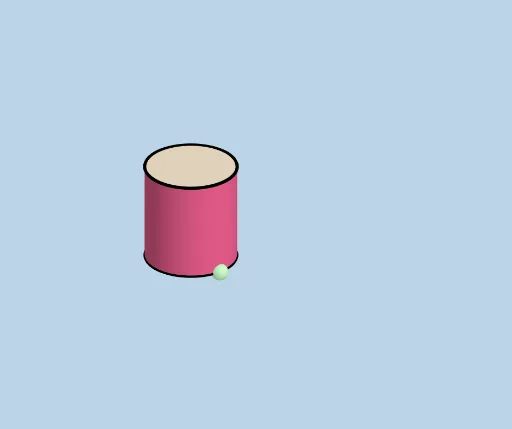
① This example demonstrates the dynamic process of unwrapping the surface of a 3D cylinder onto a 2D plane, showing the correspondence of geometric elements (points, lines, arcs, surfaces) before and after the transformation. ② Core mathematical concepts include solid geometry (cylinder, net, surface-to-plane mapping) and plane geometry (triangles, circles, polygons, angles, vectors). ③ Construction highlights: from the summary, it uses GeoGebra commands such as Cylinder, Line, Intersect, Sphere, Plane, Rotate, Dilate, Vector, Translate, Polygon, Segment, CircleArc, Angle, CurveCartesian, Surface, Midpoint, and Mirror, with many objects (r, h, A, B, C, etc.) to control the unfolding via parameters. ④ Suitable for high school or early college courses in solid geometry and analytic geometry, as well as for mathematical modeling or geometric visualization, helping students intuitively grasp the geometric transformation of cylinder unwrapping.
GeoGebra Commands & Parameters
Cylinder(A, C, r) → a, c, d, bLine(D, E) → fIntersect(f, d, 1) → FSphere(F, r) → eIntersect(f, e) → G, HPlane(G, F, C) → gRotate(C, If[0 < i ≤ 1, (i * π / 2), π / 2], D, g) → C'Rotate(d, If[0 < i ≤ 1, (i * π / 2), π / 2], D, g) → d'Rotate(dd, If[0 < i ≤ 1, (i * π / 2), π / 2], D, g) → dd'Dilate(C, If[1 < i ≤ 2, 2 - i, 0], I) → C'_1Dilate(C, If[1 < i ≤ 2, 2 - i, 0], J) → C'_2Vector(C, C'_1) → uVector(C, C'_2) → vTranslate(dd, u) → dd'_1Translate(dd, v) → dd'_2Translate(K, u) → K'Translate(K, v) → K'_1Rotate(K', If[1 < i ≤ 2, ((i - 1) * π), π], C'_1) → K''Rotate(K'_1, If[1 < i ≤ 2, ((-(i - 1)) * π), (-π)], C'_2) → LTranslate(D, u) → D'Translate(D, v) → D'_1Polygon(D', D'_1, N, M) → poly1, d'_1, d'_2, n, mSegment(K'', Q) → jCircleArc(P, Q, M) → kSegment(L, S) → lCircleArc(R, N, S) → pCircleArc(C'_2, D'_1, L) → qCircleArc(C'_1, K'', D') → sPlane(T, A, B) → oRotate(C', If[2 < i ≤ 3, ((i - 2) * π / 2), π / 2], E, g) → C''Rotate(poly1, If[2 < i ≤ 3, ((i - 2) * π / 2), π / 2], E, g) → poly1'Rotate(d', If[2 < i ≤ 3, ((i - 2) * π / 2), π / 2], E, g) → d'_3Rotate(dd', If[2 < i ≤ 3, ((i - 2) * π / 2), π / 2], E, g) → dd'_3Rotate(K'', If[2 < i ≤ 3, ((i - 2) * π / 2), π / 2], E, g) → K'''Rotate(Q, If[2 < i ≤ 3, ((i - 2) * π / 2), π / 2], E, g) → Q'Segment(K''', Q') → j'Rotate(L, If[2 < i ≤ 3, ((i - 2) * π / 2), π / 2], E, g) → L'Rotate(S, If[2 < i ≤ 3, ((i - 2) * π / 2), π / 2], E, g) → S'Segment(L', S') → l'Dilate(C'', If[3 < i ≤ 4, 4 - i, 0], U) → C'''Vector(C'', C''') → wDilate(C'', If[3 < i ≤ 4, 4 - i, 0], V) → C'''_1Vector(C'', C'''_1) → tTranslate(Z, w) → Z'Translate(Z, t) → Z'_1Translate(W, w) → W'Translate(W, t) → W'_1Rotate(W', If[3 < i ≤ 4, ((-(i - 3)) * π), (-π)], C''') → W''CircleArc(C''', Z', W'') → c_1Segment(Z, Z') → f_1Rotate(W'_1, If[3 < i ≤ 4, ((i - 3) * π), π], C'''_1) → A_1CircleArc(C'''_1, Z'_1, A_1) → d_1Segment(Z, Z'_1) → g_1Segment(R, N) → h_1Angle(N, R, S) → αCurveCartesian(x(C'_2) + (r * cos(t)), y(C'_2) + (r * sin(t)), z(C'_2), t, π / 2, π / 2 + α) → a_1Vector(A, C) → ttSurface(x(C'_2) + (r * cos(t)) - (u * x(tt)), y(C'_2) + (r * sin(t)) - (u * y(tt)), z(C'_2) - (u * z(tt)), u, 0, 1, t, π / 2, π / 2 + α) → b_1Surface((-x(C'_2)) - (r * cos(t)) - (u * x(tt)), y(C'_2) + (r * sin(t)) - (u * y(tt)), z(C'_2) - (u * z(tt)), u, 0, 1, t, π / 2, π / 2 + α) → e_1Midpoint(L', S') → B_1Midpoint(K''', Q') → C_1Line(B_1, C_1) → i_1Mirror(d_1, i_1) → k_1Mirror(c_1, i_1) → p_1Mirror(Z, i_1) → Z'_2Mirror(Z', i_1) → Z''Segment(Z'_2, Z'') → j_1Mirror(Z, i_1) → Z'_3Mirror(Z'_1, i_1) → D_1Segment(Z'_3, D_1) → l_1
AI Drawing Prompt Reference
Create a visualization of unwrapping a cylinder into a plane. Build a 3D cylinder from a circular base with a chosen axis/center, mark corresponding points on the cylinder and derive key intersection points using lines and a sphere-based auxiliary intersection. Define a plane through three reference points that will serve as the unfolding sheet. Construct circle arcs, arc segments, and straight segments that represent the cylinder’s boundary pieces and the edges of the net. Then apply successive rotations (by quarter-turn and half-turn type angles) about a fixed point/axis, together with translations to reposition copies so all pieces lie on the same 2D plane and match the intended correspondences. Use additional arcs to connect the unfolded boundary smoothly and include an auxiliary plane view to suggest the before/after mapping.
The prompt above was compiled from the original drawing commands and is for reference only.