
Unit Circle with Exact Values
Loading the math board and drawing, please wait…
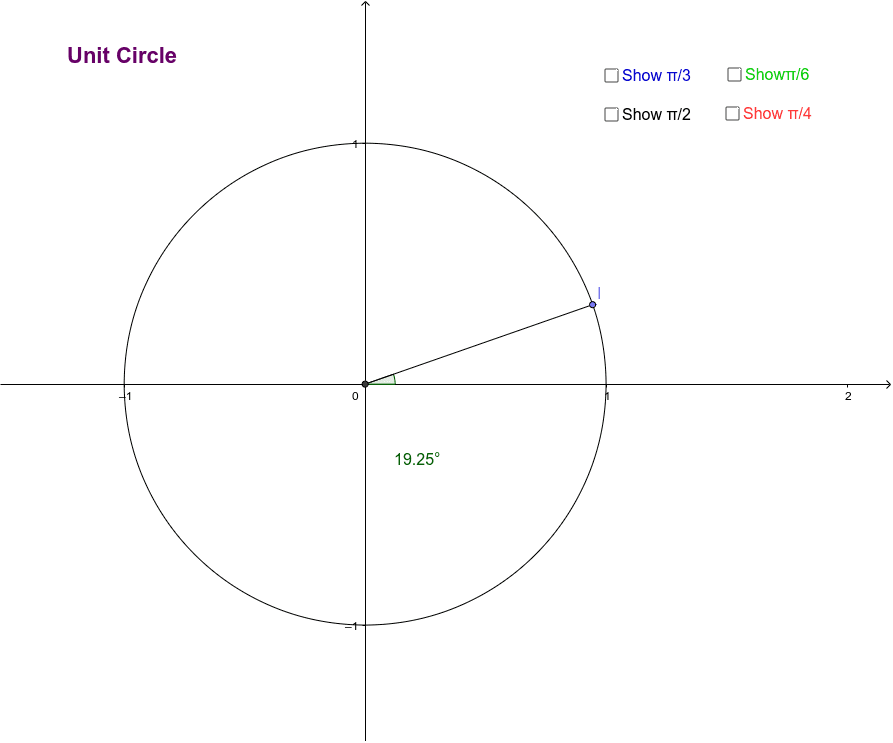
This unit circle demonstrates exact values that appear when moving the angle around the circle or selecting blocks. It involves core trigonometry concepts such as sine and cosine. Using GeoGebra commands like Intersect, Circle, Mirror, etc., it dynamically shows the relationship between angles and coordinates. Suitable for high school math education and learning.
GeoGebra Commands & Parameters
Intersect(xAxis, yAxis) → ACircle(A, 1) → cMirror(B, yAxis) → B'Mirror(B, xAxis) → B'_1Mirror(B', xAxis) → B''Mirror(C, yAxis) → C'Mirror(C', xAxis) → C''Mirror(C'', yAxis) → C'''Mirror(D, yAxis) → D'Mirror(D', xAxis) → D''Mirror(D'', yAxis) → D'''Point(c) → ISegment(I, A) → gAngle(E, A, I) → α
AI Drawing Prompt Reference
Draw a unit circle and mark the intersection point of the coordinate axes. Then draw the radius from this point, and reflect it over the x-axis and y-axis to get four points. Reflect these points again over the x-axis and y-axis to get more points. Finally, connect these points and label the central angle and corresponding sine and cosine values.
The prompt above was compiled from the original drawing commands and is for reference only.