
Exploring Trigonometric Ratios
Loading the math board and drawing, please wait…
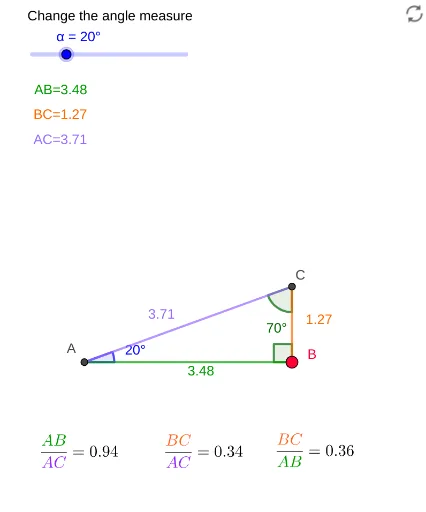
This example uses geometric construction to demonstrate the relationships of trigonometric ratios in a triangle. Key mathematical concepts include trigonometric functions, the relationship between angles and sides. Using commands like rotation, intersection, and angle, a dynamic triangle model is constructed to show how sine, cosine, and tangent values change with different angles. Suitable for students in middle school and above to learn the basic properties of trigonometric functions.
GeoGebra Commands & Parameters
Intersect(xAxis, yAxis) → APoint(xAxis) → BRotate(B, α, A) → B'Angle(B, A, B') → βOrthogonalLine(B, xAxis) → fRay(A, B') → gIntersect(g, f) → CSegment(A, B) → hSegment(B, C) → iSegment(A, C) → jAngle(C, B, A) → γAngle(A, C, B) → δ
AI Drawing Prompt Reference
On a coordinate plane, start at the origin and place a point on the positive x-axis as one vertex of a triangle. Rotate this point around the origin by a variable angle to get another vertex. Draw a ray from the origin through the rotated point, and draw a perpendicular line to the x-axis through the point on the x-axis. The intersection of the ray and the perpendicular line gives the third vertex. Connect the three vertices to form a right triangle. Label the angle at the origin, the right angle at the x-axis vertex, and the angle at the rotated vertex, illustrating how trigonometric ratios change with the angle.
The prompt above was compiled from the original drawing commands and is for reference only.