
Arc Length and Sector Area Practice
Loading the math board and drawing, please wait…
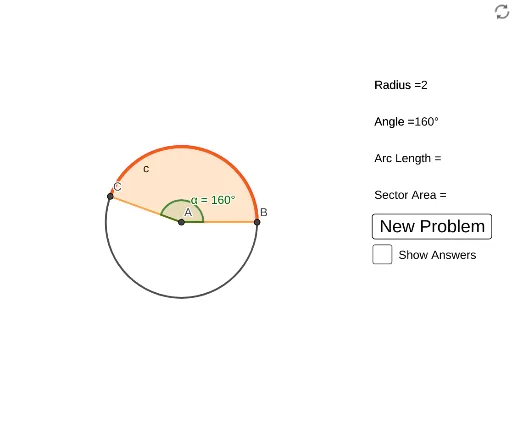
This example demonstrates solving for variables related to arcs through geometric construction. Key mathematical concepts include arc length and sector area calculations. GeoGebra commands used include constructing arcs, sectors, rotations, and angles. Suitable for middle school and above students to practice arc length and sector area.
GeoGebra Commands & Parameters
RandomElement(anglelist) → angleIntersect(xAxis, yAxis) → ARandom(1, 5) → radiusCircle(A, radius) → cIntersect(c, xAxis, 2) → BRotate(B, angle, A) → CAngle(B, A, C) → αArc(c, B, C) → arclengthSector(c, B, C) → sectorareaRandom(1, 3) → probtypeRandom(1, 5) → radius_1RandomElement(anglelist_1) → angle_1
AI Drawing Prompt Reference
Draw a circle with a random angle at the origin, with a radius between 1 and 5. Find the intersection of the circle with the x-axis to get point B, then rotate B around the origin by a specified angle to get point C. Calculate and display the central angle α and the arc length. Finally, randomly choose a problem type; if it's for sector area, calculate and display the sector area.
The prompt above was compiled from the original drawing commands and is for reference only.