
Unit Circle Transformations by Nick Thorpe
Loading the math board and drawing, please wait…
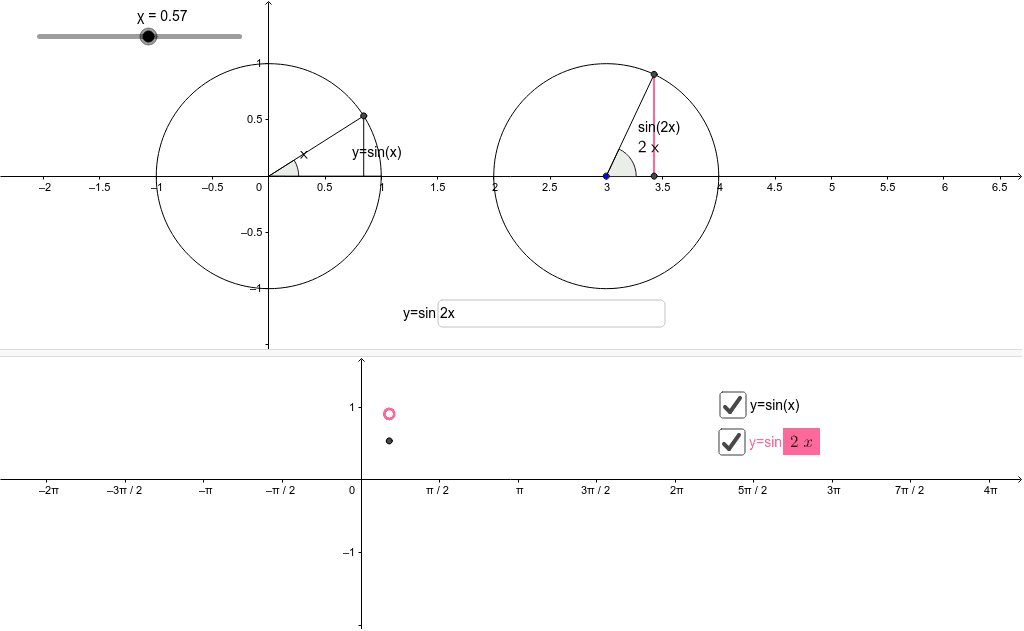
This example demonstrates unit circle transformations by inputting a function and moving a slider. Key math concepts include trigonometric functions and function transformations. GeoGebra commands used include Intersect, Segment, Angle, Textfield, and Midpoint. Suitable for high school math education and learning.
GeoGebra Commands & Parameters
Intersect(xAxis, yAxis) → BSegment(B, A) → aIntersect(c, xAxis, 2) → CSegment(B, C) → bAngle(C, B, A) → αSegment(A, D) → dTextfield(f) → inputBox1Intersect(e, xAxis, 2) → FAngle(F, G, H) → βSegment(G, H) → hSegment(G, F) → iSegment(F, G) → jSegment(H, I) → kMidpoint(I, H) → JIntersect(b, d) → NMidpoint(N, A) → OIntersect(d, xAxis) → PMidpoint(P, A) → Q
AI Drawing Prompt Reference
Draw a unit circle and demonstrate function transformations by inputting a function and moving a slider. First, draw the intersection point B of the x-axis and y-axis, then draw the line segment a from A to B. Next, find the second intersection point C of c with the x-axis and draw the line segment b from B to C. Measure the size of angle ABC to get angle α, then draw the line segment d from A to D. Input a function expression in the text field, find the second intersection point F of e with the x-axis, measure the size of angle FGH to get angle β, and draw the line segment h from G to H. Draw the line segments i from G to F and j from F to G, then draw the line segment k from H to I. Find the midpoint J of I and H. Find the intersection point N of b and d, find the midpoint O of N and A, then find the intersection point P of d with the x-axis, and finally find the midpoint Q of P and A.
The prompt above was compiled from the original drawing commands and is for reference only.