
Unit Circle Investigation 1
Loading the math board and drawing, please wait…
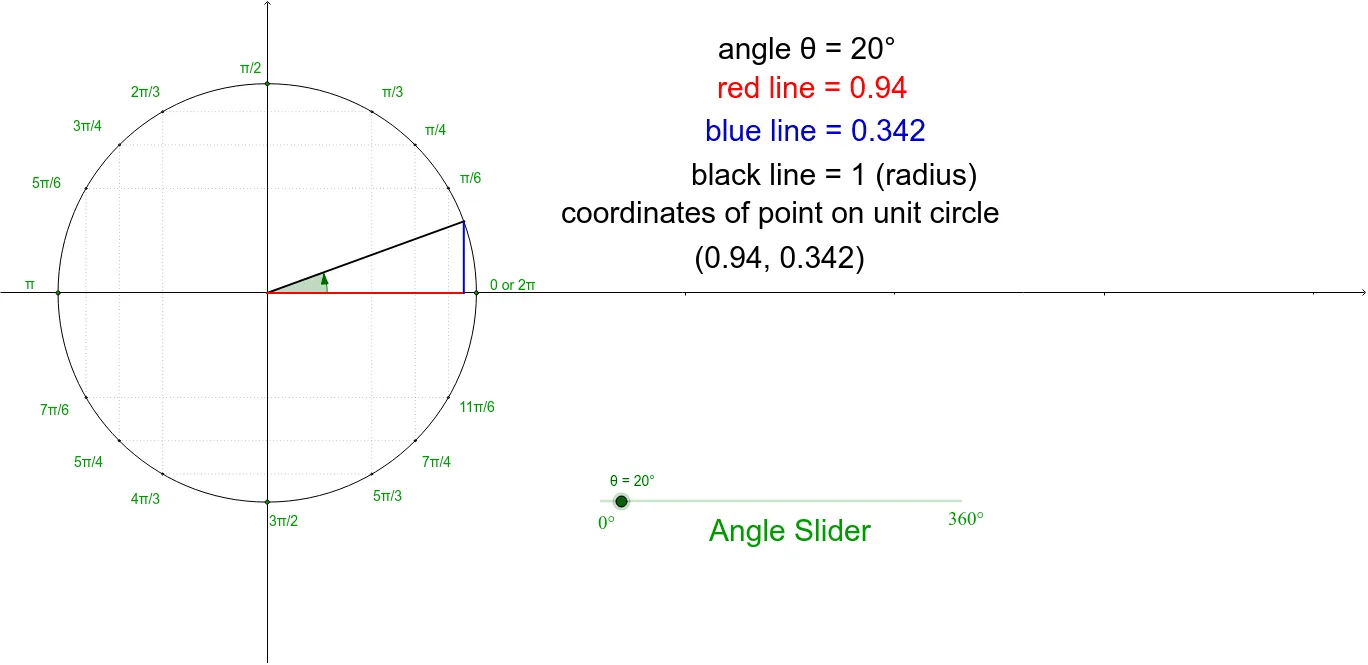
This example demonstrates the relationship between the unit circle and trigonometric functions through dynamic interaction, showing the correspondence between angles and coordinates. Core mathematical concepts include the unit circle, trigonometric functions, vectors, and matrix transformations. GeoGebra commands used in construction are Intersect, Circle, Point, Segment, Rotate, Angle, and OrthogonalLine. Suitable for high school mathematics teaching to understand the definition of trigonometric functions and vector matrix representation.
GeoGebra Commands & Parameters
Intersect(xAxis, yAxis) → ACircle(A, 1) → cPoint(c) → BIntersect(c, xAxis, 1) → π1Intersect(c, xAxis, 2) → zeroSegment(π1, zero) → aIntersect(c, yAxis, 2) → π2Intersect(c, yAxis, 1) → π3_2Segment(π2, π3_2) → bPoint(c) → π6Rotate(zero, θ, A) → D'Angle(zero, A, D') → αSegment(A, D') → iOrthogonalLine(D', a) → jOrthogonalLine(D', b) → kIntersect(j, a) → QSegment(A, Q) → lSegment(D', Q) → mIntersect(c, i, 1) → pointPoint(c) → π3Point(c) → π4Point(c) → π2_3Point(c) → π3_4Point(c) → π5_6Point(c) → π7_6Point(c) → π5_4Point(c) → π4_3Point(c) → π5_3Point(c) → π7_4Point(c) → π11_6Segment(π2_3, π3) → nSegment(π3_4, π4) → pSegment(π5_6, π6) → qSegment(π7_6, π11_6) → rSegment(π5_4, π7_4) → sSegment(π4_3, π5_3) → tSegment(π6, π11_6) → a_1Segment(π4, π7_4) → b_1Segment(π3, π5_3) → c_1Segment(π2_3, π4_3) → dSegment(π3_4, π5_4) → eSegment(π5_6, π7_6) → f
AI Drawing Prompt Reference
Draw a unit circle and dynamically plot an angle θ, find the corresponding sine and cosine values by rotation and intersection, use vertical lines to represent sine values, and horizontal lines to represent cosine values, illustrating the relationship between the unit circle and trigonometric functions.
The prompt above was compiled from the original drawing commands and is for reference only.