
Unit Circle by V Sindroja
Loading the math board and drawing, please wait…
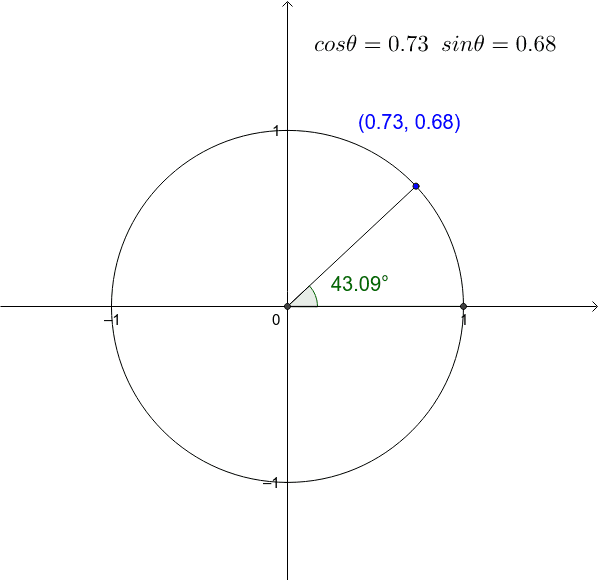
This example demonstrates how coordinates can be created solely from angles. Different angles (obtuse, acute, reflex) result in different signs. Using GeoGebra commands such as Circle, Angle, and Segment, the properties of the unit circle are visually explained. Suitable for high school math education and learning.
GeoGebra Commands & Parameters
Intersect(xAxis, yAxis) → ACircle(A, 1) → cPoint(c) → BIntersect(c, xAxis, 2) → CAngle(C, A, B) → αSegment(C, A) → aSegment(B, A) → b
AI Drawing Prompt Reference
Draw a unit circle and mark the intersection point with the x-axis. From this point, draw two line segments to the x-axis and y-axis respectively, forming a right triangle. Measure one of the acute angles and display its value in the diagram. Use different colors to highlight the angle, line segments, and the circle to observe the relationship between angles and coordinates.
The prompt above was compiled from the original drawing commands and is for reference only.