
Cuboid: 3D Solid Geometry Construction
Loading the math board and drawing, please wait…
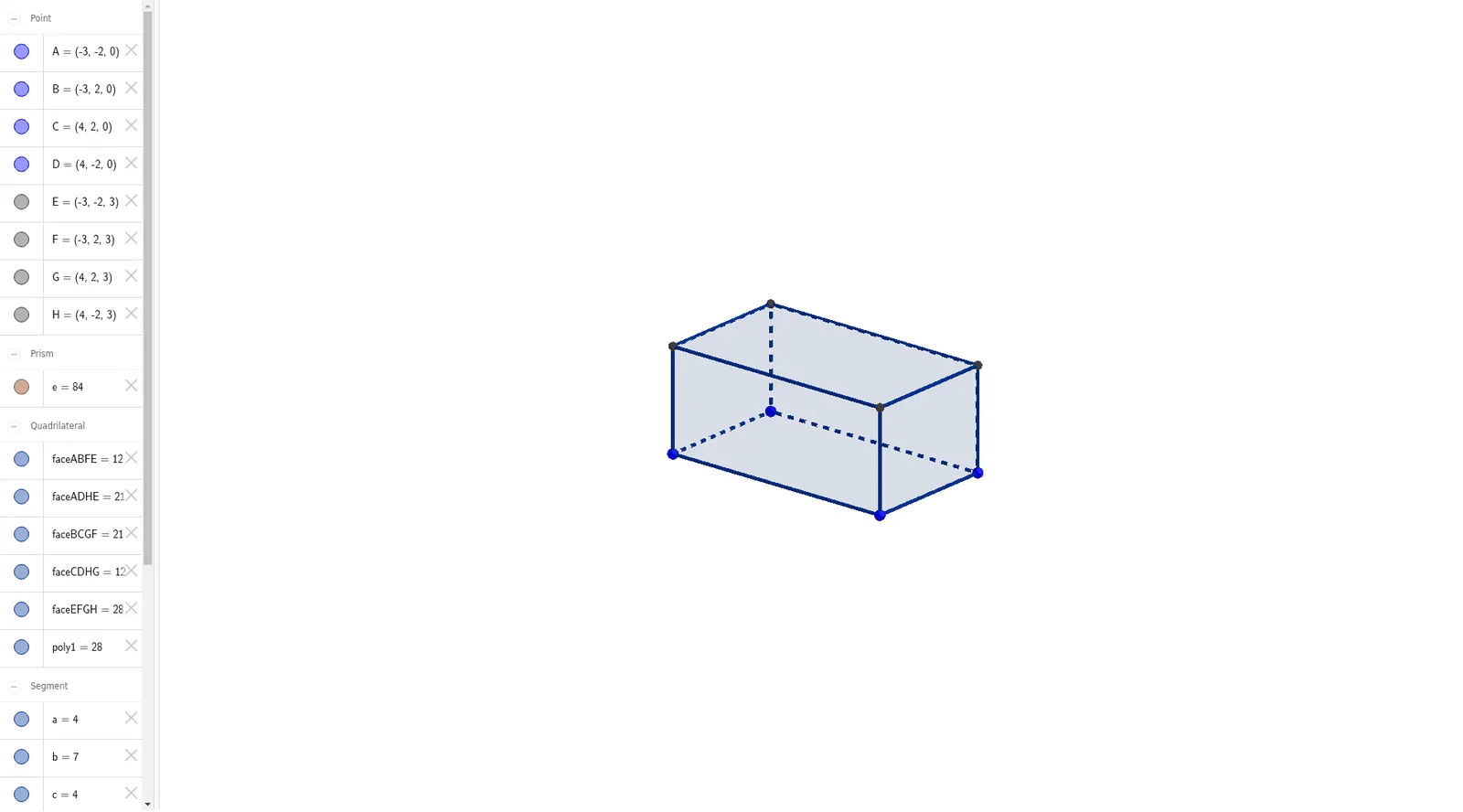
① This GeoGebra example demonstrates the construction of a standard cuboid in 3D view, showing its six faces, twelve edges, and eight vertices. ② Core mathematical concepts include solid geometry properties of cuboids, perpendicularity between faces and edges, parallelopiped characteristics, and spatial relationships among points, lines, and planes. ③ Construction steps: use the Polygon command to draw the base quadrilateral poly1 (vertices A, B, C, D), then apply the Prism command to extrude the base vertically, automatically generating vertices E, F, G, H, side faces (faceABFE, faceBCGF, etc.), and edges (edgeAE, edgeBF, etc.), illustrating the transition from 2D polygon to 3D prism. ④ Suitable for middle school to high school students learning introductory solid geometry, enhancing spatial visualization, and useful for teachers demonstrating cuboid properties or students exploring prism generation.
GeoGebra Commands & Parameters
Polygon(A, B, C, D) → poly1, a, b, c, dPrism(poly1, -3) → e, E, edgeAE, edgeBF, edgeCG, edgeDH, edgeEF, edgeFG, edgeGH, edgeEH, F, G, H, faceABFE, faceBCGF, faceCDHG, faceADHE, faceEFGH
AI Drawing Prompt Reference
Draw a standard cuboid in 3D space. Start by constructing a rectangular base on a horizontal plane, defining its four corners. Then extrude this base vertically downward by a fixed height to form a three-dimensional prism. The final shape should have six rectangular faces, twelve edges, and eight vertices, with the top and bottom faces being congruent and parallel, and the four side faces being rectangles perpendicular to the base. Ensure the cuboid appears clearly in three dimensions for easy observation of its spatial structure.
The prompt above was compiled from the original drawing commands and is for reference only.