
Understanding Place Value up to Thousands
Loading the math board and drawing, please wait…
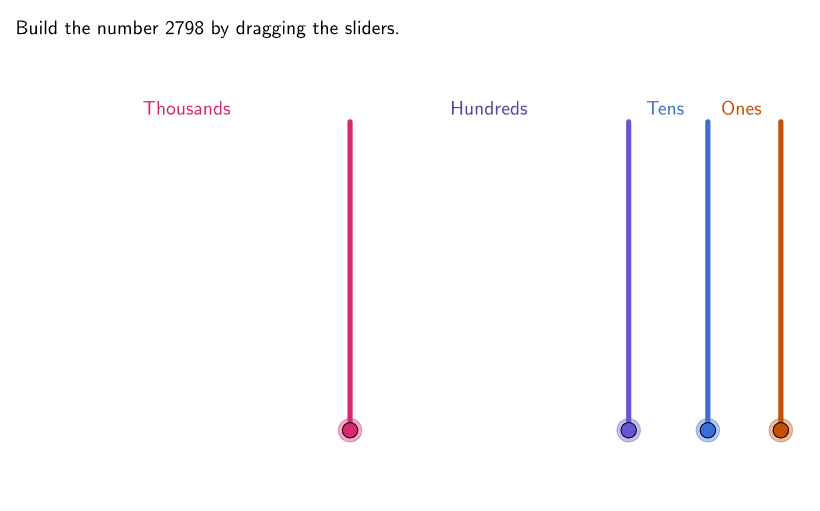
This interactive GeoGebra activity generates random whole numbers up to the thousands place and displays them in expanded form (e.g., 2345 = 2000 + 300 + 40 + 5) to help students understand place value concepts. Students explore the meaning of units, tens, hundreds, and thousands through hands-on interaction. Key mathematical concepts include place value, number composition, and the decimal system. The construction uses GeoGebra commands including Shuffle, Sequence, LaTeX, and TableText to generate random numbers and display expanded notation, with compression animations to visualize digit relationships. Suitable for grades 4-5 students to consolidate place value understanding and engage in open-ended exploration.
GeoGebra Commands & Parameters
Shuffle(Sequence[0, 9]) → randomUnits, {7, 8, 6, 4, 5, 1, 0, 3, 9, 2}Shuffle(Sequence[0, 9]) → randomTens, {0, 9, 2, 6, 3, 1, 5, 7, 4, 8}Shuffle(Sequence[0, 9]) → randomHundreds, {1, 7, 0, 3, 6, 4, 9, 5, 2, 8}Element(randomUnits, Mod[countQuestion, Length[randomUnits]] + 1) → unitsTempElement(randomTens, Mod[countQuestion, Length[randomTens]] + 1) → expectedTensElement(randomHundreds, Mod[countQuestion, Length[randomHundreds]] + 1) → expectedHundredsMax((Min[3, numThousands] * (hundredSize / fracThousands + gap)) - gap, 0) → widthThousandsMax((Min[3, numHundreds] * (hundredSize / fracHundreds + gap)) - gap, 0) → widthHundredsMax((Min[3, numTens] * ((0.1 * hundredSize / fracTens) + gap)) - gap, 0) → widthTensIf(animateTimer > 1, animateTimer - 1, 0) → animateFlatten(Sequence[Sequence[((i * (hundredSize / fracThousands + gap)), (j * (hundredSize / fracThousands + gap))), i, 0, 2], j, 0, 2]) → thousandsOffsetsFlatten(Sequence[Sequence[((i * ((0.1 * hundredSize / fracTens) + gap)), (j * (hundredSize / fracTens + gap))), i, 0, 2], j, 0, 2]) → tensOffsetsFlatten(Sequence[Sequence[((i * (hundredSize + gap)), (j * (hundredSize + gap))), i, 0, 2], j, 0, 2]) → hundredsOffsetsFlatten(Sequence[Sequence[((i * (hundredSize / 10 + gap)), (j * (hundredSize / 10 + gap))), i, 0, 2], j, 0, 2]) → unitOffsetsShuffle(Sequence[1, 9]) → randomThousands, {1, 2, 9, 3, 5, 8, 4, 7, 6}Element(randomThousands, Mod[countQuestion, Length[randomThousands]] + 1) → expectedThousandsIf(unitsTemp ≟ 0 ∧ expectedTens ≟ 0 ∧ expectedHundreds ≟ 0, 1, unitsTemp) → expectedUnitsTableText({"\textcolor{#DA2570}{Thousands}", "\textcolor{#5145A8}{Hundreds}", "\textcolor{#3A6ED6}{Tens}", "\textcolor{#C75000}{Ones}"}, {"\hspace{300px}", "\hspace{250px}", "\hspace{55px}", "\hspace{55px}"}, "c") → backTableZip(Text[A, B, false, true, 1, -1], A, {(("" * expectedThousands) * "000"), (("" * expectedHundreds) * "00"), (("" * expectedTens) * "0"), ("" * expectedUnits)}, B, {SolnAnchor, SolnHundreds, SolnTens, SolnUnits}) → textResultsTableText({currentDisplay, "\hspace{800px}"}, "vc") → displayCenteredLaTeX(correctThousands, true, true) → text1Sequence(Translate[If[correctTens, tenSuccess, tenCube], tensOffsets(K)], K, 1, numTens) → displayTensSequence(Translate[If[correctThousands, thousandSuccess, thousandCube], thousandsOffsets(K)], K, 0, numThousands) → displayThousandsSequence(Translate[If[correctUnits, unitSuccess, unitCube], unitOffsets(K)], K, 0, numUnits) → displayUnitsSequence(Translate[If[correctHundreds, hundredSuccess, hundredCube], hundredsOffsets(A)], A, 1, numHundreds) → displayHundreds
AI Drawing Prompt Reference
Draw a graphic showing the expanded form of a randomly generated number. The graphic should display a decomposition of a number, such as 2345 being broken into 2000, 300, 40, and 5. It must label the thousands, hundreds, tens, and ones places and show the corresponding values. The graphic should also reflect the random generation process and the visual relationships between the digits. The overall layout should be clear to help understand the composition and value of the number.
The prompt above was compiled from the original drawing commands and is for reference only.