
Understanding Derivatives
Loading the math board and drawing, please wait…
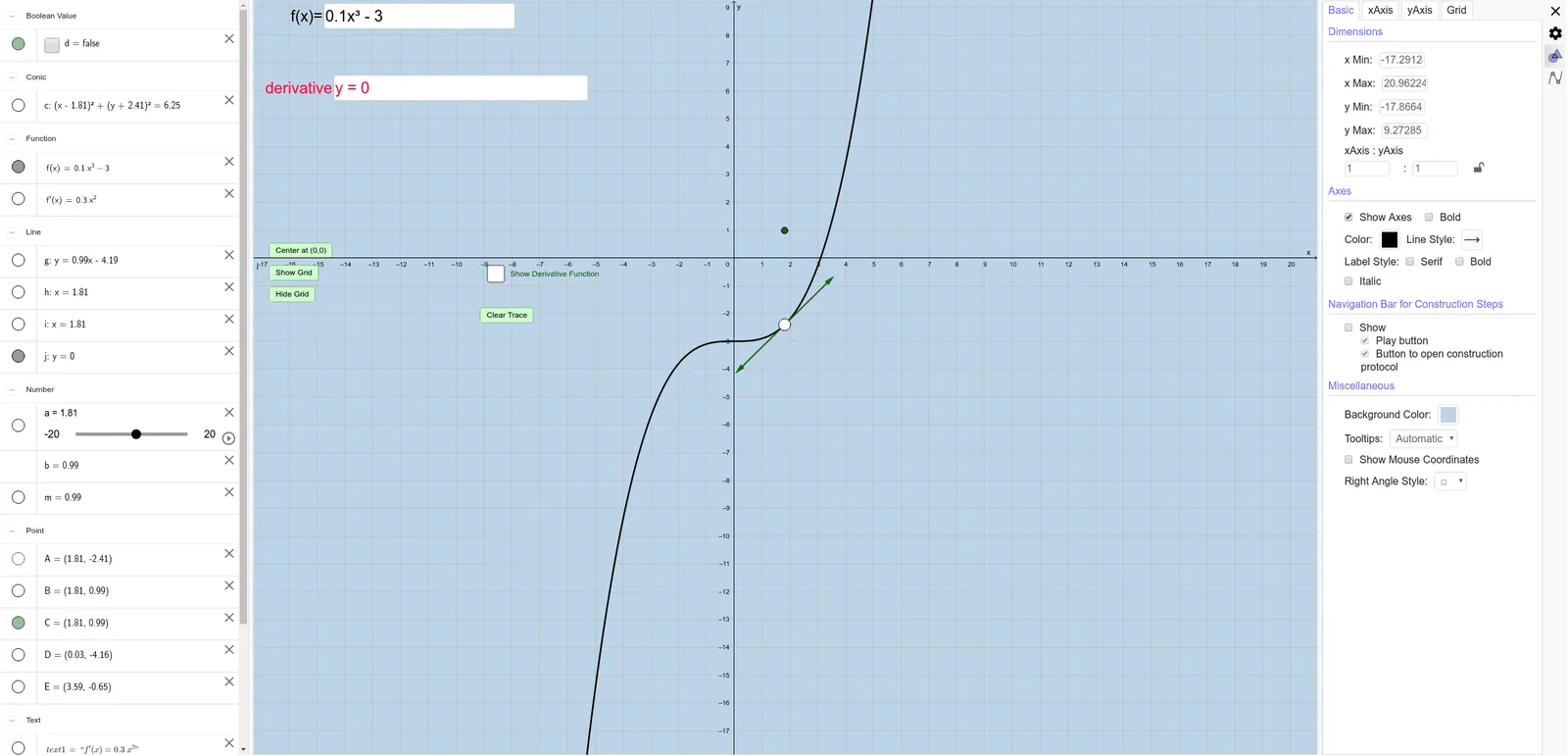
This example dynamically demonstrates the slope of a tangent line at a point on a function, visually illustrating the concept of a derivative. It involves core math concepts like derivatives, function graphs, tangent lines, slopes, and limits. GeoGebra commands and objects used include Tangent, Slope, Textfield, Intersect, Circle, Vector, and LaTeX for construction. Suitable for high school students and beginners in calculus learning the definition and calculation of derivatives.
GeoGebra Commands & Parameters
Tangent(A, f) → gSlope(g) → mTextfield(f) → InputBox1Textfield(a) → InputBox2Intersect(f', h, (1.811999510173577, 0.9850026674607851)) → BIntersect(f', i, 1) → CCircle(A, 2.5) → cIntersect(c, g) → D, EVector(A, D) → uVector(A, E) → vLaTeX(j, true, true) → text2Textfield(j) → derivative
AI Drawing Prompt Reference
Draw a graph of a function with a movable point on it. Construct the tangent line at that point and display its slope value. Include two input boxes to edit the function expression and the x-coordinate of the point. Also plot the derivative function, and mark its intersections with two horizontal lines, one of which corresponds to the point's x-coordinate. Draw a circle centered at the point, intersecting the tangent line at two points, and show vectors from the center to those intersections. Finally, display an editable text box containing the derivative expression, along with explanatory text about derivatives.
The prompt above was compiled from the original drawing commands and is for reference only.