
Types of Angles by Ooi Soo Huat
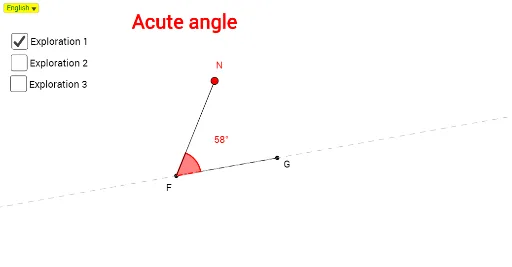
Loading the math board and drawing, please wait…
In collections
Mathematics Form 1
This example demonstrates various types of angles (acute, right, obtuse) through geometric representation and classification. It involves core mathematical concepts such as angle definition, measurement, and geometric categorization. Construction highlights the use of GeoGebra commands/objects like Segment, Point, Angle, Circle, If, DynamicCoordinates, and Line. Suitable for middle school and above students to visually understand angle classification and properties, enhancing spatial reasoning.
GeoGebra Commands & Parameters
Segment(A, B) → aPoint(a) → CSegment(C, D) → bAngle(B, C, D) → αAngle(D, C, A) → βSegment(F, G) → eAngle(G, F, E) → γCircle(H, R) → hPoint(h) → QPoint(h) → PSegment(H, Q) → iSegment(H, R) → jSegment(H, P) → kAngle(R, H, Q) → δAngle(Q, H, P) → εIf(γ > 359°, Rotate[G, 359.9999°, F], Rotate[G, round(γ), F]) → N_1DynamicCoordinates(E, x(N_1), y(N_1)) → NAngle(G, F, N) → ζSegment(F, N) → dPoint(h) → SSegment(S, H) → gAngle(S, H, R) → ηAngle(P, H, S) → θLine(F, G) → lAngle(G, F, N) → ιAngle(G, F, N) → κSelectedIndex(Bahasa) → nnIf(nn ≟ 1, "Acute angle", "Sudut tirus") → text1If(nn ≟ 1, "Obtuse angle", "Sudut cakah") → text2If(nn ≟ 1, "Reflex angle", "Sudut refleks") → text3If(nn ≟ 1, "Angle on a straight line", "Sudut pada garis lurus") → text4If(nn ≟ 1, "Angle of one whole turn", "Sudut satu putaran lengkap") → text5If(nn ≟ 1, "Right angle", "Sudut tegak") → text6
AI Drawing Prompt Reference
Draw a geometric figure with different types of angles, including acute, right, obtuse, straight, and full angles. First, draw line segments AB and CD to form angles α and β. Then, draw line segment EF to form angle γ. Use circle H to draw points Q and P, connect HQ, HR, and HP to form angles δ and ε. By rotating point G, form angle ζ and connect FN. Use circle H to draw point S, connect SH to form angles η and θ. Finally, draw line segment FG to form angles ι and κ. Depending on the language selection, display the corresponding names of the angles.
The prompt above was compiled from the original drawing commands and is for reference only.