
Two Way Table Setups
Loading the math board and drawing, please wait…
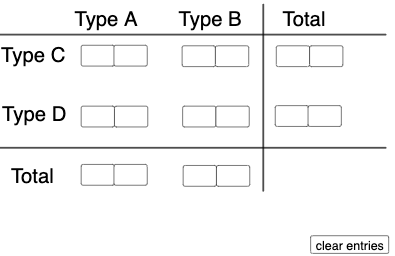
This example demonstrates how to set up conditional probability problems using two-way tables. It involves core mathematical concepts such as probability and statistics. Using GeoGebra commands like Textfield, Sequence, If, Segment, Translate, etc., complex probability models can be constructed. Suitable for high school math education and students learning probability and statistics.
GeoGebra Commands & Parameters
Textfield(a) → InputBox1Textfield(b) → InputBox2Textfield(c) → InputBox3Textfield(d) → InputBox4Textfield(f) → InputBox6Textfield(g) → InputBox7Textfield(h) → InputBox8Textfield(i) → InputBox9Textfield(j) → InputBox10Textfield(k) → InputBox11Textfield(l) → InputBox12Textfield(m) → InputBox13Textfield(n) → InputBox14Textfield(o) → InputBox15Textfield(p) → InputBox16Textfield(q) → InputBox17Sequence(CountIf[x ≟ i, l1], i, 0, 9, 1) → l2, {0, 0, 0, 0, 0, 0, 0, 0, 0, 0}If(c1, "√", "X") → text2If(c2, "√", "X") → text3If(c3, "√", "X") → text4If(c4, "√", "X") → text5Segment((-5, 0), (12, 0)) → rTranslate(r, Vector[(0, 4.35)]) → r'Segment((7.3, -1.65), (7.3, 5.5)) → sIf(Max[l2] ≥ 4, "At least one digit occurs more than 3 times!", "Each digit occurs at most 3 times.") → text1
AI Drawing Prompt Reference
Create a graphic with input boxes and text displays for demonstrating conditional probability problems. The input boxes are for entering data, and the text displays show results based on the input. Include a horizontal line segment at the bottom and a vertical line segment on the left. Generate multiple small rectangles above based on the input data, and display different text prompts depending on the maximum value.
The prompt above was compiled from the original drawing commands and is for reference only.