
Two Inch Ruler with Fractions
Loading the math board and drawing, please wait…
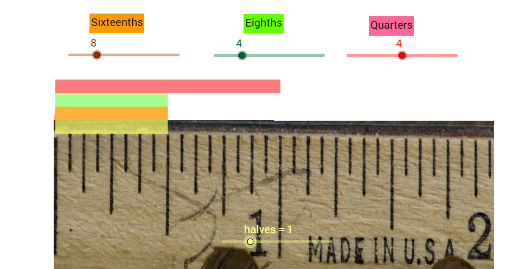
This example demonstrates a two-inch ruler with fraction markings. It involves core math concepts like fractions, measurement, mode, area, reflection, surface, and circle. Construction highlights include using the Polygon command with objects like n, E, F, G, I, pic1, J, A, poly1, e, a, g, f, text1, i, B, C, D, poly2, b, d, c, e_1, text2, j, H, K, L, poly3, h, l, k, b_1, text3, M, N, halves, O, P, poly4. Suitable for middle school math education, focusing on fraction application and geometric construction.
GeoGebra Commands & Parameters
Polygon(E, A, G, F) → poly1, e, a, g, fPolygon(B, D, C, E) → poly2, b, d, c, e_1Polygon(H, L, K, B) → poly3, h, l, k, b_1Polygon(M, O, P, N) → poly4, m, o, p, n_1
AI Drawing Prompt Reference
Draw a two-inch ruler with fraction markings. The ruler consists of four adjacent rectangular sections arranged horizontally. The leftmost section represents whole inches, the second section represents half-inch fractions, the third section represents quarter-inch fractions, and the rightmost section represents eighth-inch fractions. Each section contains a polygon shape with internal or edge markings indicating the fractional divisions. Construct the four rectangles first, then add the fraction tick lines inside each, ensuring they are evenly spaced and aligned across the ruler.
The prompt above was compiled from the original drawing commands and is for reference only.