
Two Fractions- Preparation
Loading the math board and drawing, please wait…
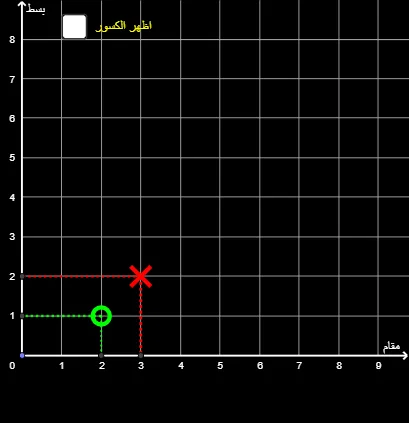
This example demonstrates the graphical representation of two fractions. It involves the concept of fractions and uses geometric construction to show the addition and subtraction of fractions. Commands used include Point, Line, Intersect, and Segment. Suitable for middle school math education, helping students understand the geometric meaning of fractions.
GeoGebra Commands & Parameters
Point(yAxis) → ALine(A, C) → gLine(A, B) → hLine(C, xAxis) → iLine(C, yAxis) → jIntersect(j, xAxis) → GSegment(C, G) → kIntersect(i, yAxis) → DSegment(C, D) → lLine(B, yAxis) → mLine(B, xAxis) → nIntersect(m, xAxis) → ESegment(B, E) → qIntersect(n, yAxis) → FSegment(B, F) → p
AI Drawing Prompt Reference
On a coordinate plane, start with a point on the vertical axis)Skip. From this point, draw two slanted lines to two distinct points on the horizontal axis. From the vertical-axis point, draw a perpendicular to the horizontal axis, marking the intersection, and connect these two points with a vertical segment. Also from the same point, draw a perpendicular to the vertical axis, marking the intersection, and connect these two points with a horizontal segment. Similarly, from the other horizontal-axis point, draw perpendiculars to both axes, marking the intersections, and connect each to form two segments. The final figure shows two rectangular frameworks defined by axes and perpendiculars, illustrating the geometric representation of two fractions.
The prompt above was compiled from the original drawing commands and is for reference only.