
H-Kite Filtered
Loading the math board and drawing, please wait…
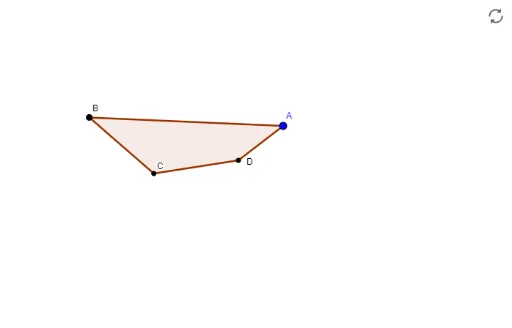
This example demonstrates the construction of a kite and its related geometric elements to illustrate mathematical concepts. Core math concepts include the kite, normal distribution, cosine function, addition, rotation, and circle. Construction highlights from the summary involve commands/objects like Circle, Segment, OrthogonalLine, Line, Polygon, Intersect, Ray, Distance, If, and Min in GeoGebra. Suitable for high school mathematics teaching, used for dynamic demonstrations of geometric constructions and function graphs.
GeoGebra Commands & Parameters
Circle(B, C) → fCircle(D, C) → gSegment(B, D) → f_1OrthogonalLine(C, f_1) → i_1Line(B, C) → aPolygon(B, C, D, A) → poly1, b, c, c_1, a_1Line(B, c) → dLine(D, b) → eCircle(C, D) → hCircle(C, B) → kCircle(B, Distance[C, D]) → qIntersect(d, e) → GCircle(D, G) → pIntersect(q, e) → E, FIntersect(p, d) → H, IIntersect(g, d) → J, KIntersect(g, e) → L, MOrthogonalLine(D, d) → iIntersect(i, d) → NOrthogonalLine(B, e) → jIntersect(j, e) → ORay(B, F) → lRay(D, F) → mCircle(N, 0.3) → g_1Circle(O, 0.3) → h_1Circle(I, 0.3) → tCircle(E, 0.3) → sCircle(G, 0.3) → rDistance(A, i_1) → DaltdistDistance(A, H) → MakdistIf(Makdist < 0.25, true) → IsRhumDistance(A, I) → ADeqBCdistDistance(A, E) → ABeqCDdistMin(Distance[A, O], Distance[A, N]) → BAD90distDistance(A, l) → CDparABdistDistance(A, m) → CBparADdistCircle(C, B) → e_1Distance(A, f_1) → tridistIf(Daltdist < 0.25 ∧ tridist > 0.1 ∧ Distance[A, C] > 0.1, true) → IsDaltIf((CBparADdist < 0.2 ∨ CDparABdist < 0.2) ∧ Makdist > 0.2, true) → Istrap
AI Drawing Prompt Reference
Draw a kite shape using two intersecting circles and their centers. Connect the centers with a line and draw a perpendicular line. Form the kite by connecting the intersection points of the perpendicular line with the circles. Add auxiliary circles and points to highlight key locations, and use small circles to mark them. Finally, display different geometric relationships based on distance conditions.
The prompt above was compiled from the original drawing commands and is for reference only.