
Two Dilations about the Same Point
Loading the math board and drawing, please wait…
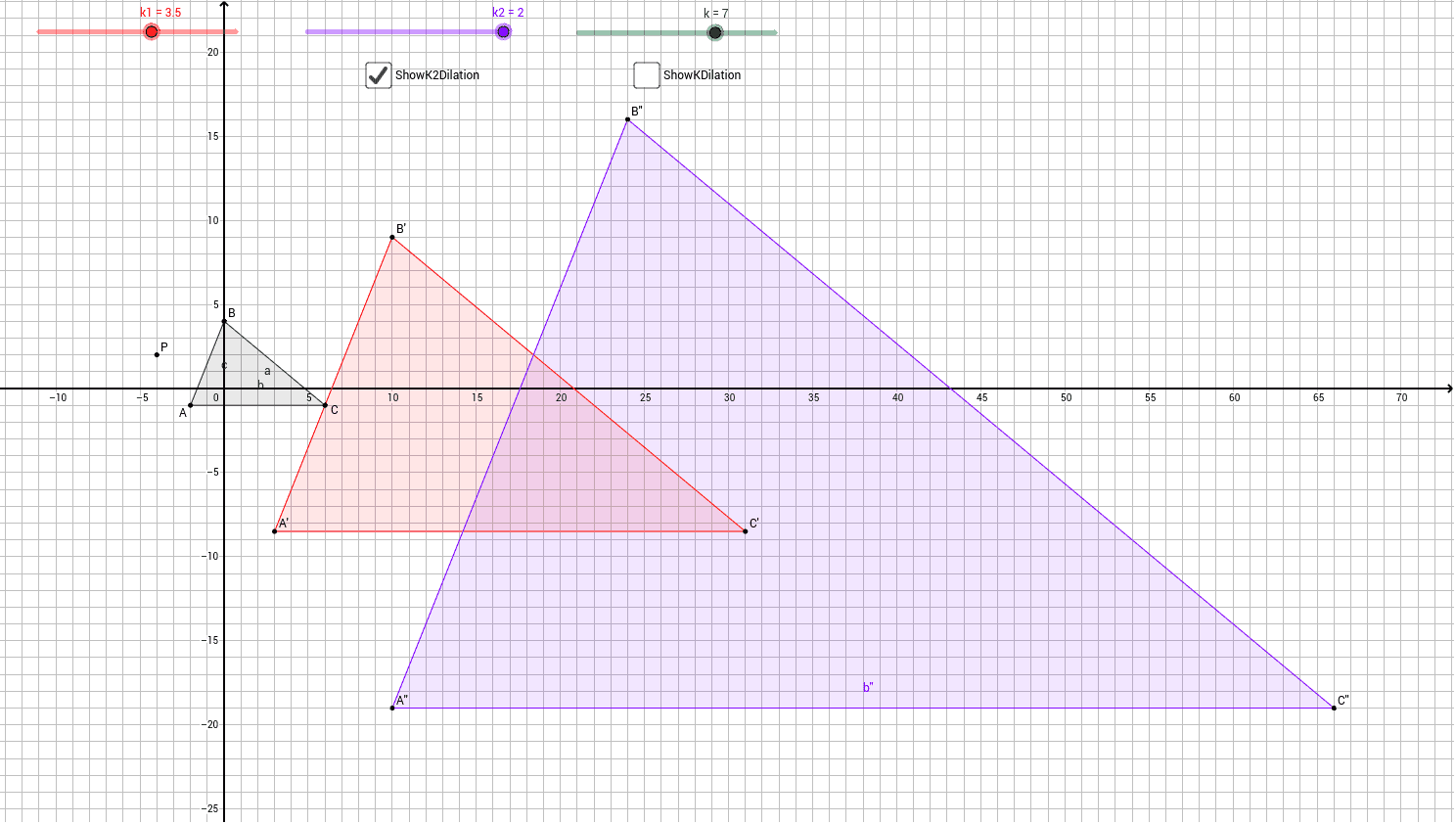
This example demonstrates the process of performing two dilations about the same point and allows students to explore how one dilation can be used instead. Key mathematical concepts include similarity transformations and proportional relationships. Using GeoGebra commands such as Dilate and Polygon, students can visually understand the properties of similarity transformations. Suitable for middle school and above students to learn about similarity transformations and geometric constructions.
GeoGebra Commands & Parameters
Polygon(A, B, C) → poly1, c, a, bDilate(A, k1, P) → A'Dilate(B, k1, P) → B'Dilate(C, k1, P) → C'Polygon(A', B', C') → poly1', c', a', b'Dilate(A', k2, P) → A''Dilate(B', k2, P) → B''Dilate(C', k2, P) → C''Polygon(A'', B'', C'') → poly1'', c'', a'', b''Dilate(A, k, P) → A'_2Dilate(B, k, P) → B'_2Dilate(C, k, P) → C'_2Polygon(A'_2, B'_2, C'_2) → poly1'_2, c'_2, a'_2, b'_2
AI Drawing Prompt Reference
Draw a triangle, then dilate each vertex of the triangle from a point with a certain scale factor to form a new triangle. Perform a second dilation on the new triangle to get a second triangle. Finally, directly dilate the original triangle with a single scale factor to obtain a third triangle. Show the relationship between these four triangles to illustrate the comparison of effects between two dilations and one dilation.
The prompt above was compiled from the original drawing commands and is for reference only.