
SAS Triangle Exploration by Azucena Overman
Loading the math board and drawing, please wait…
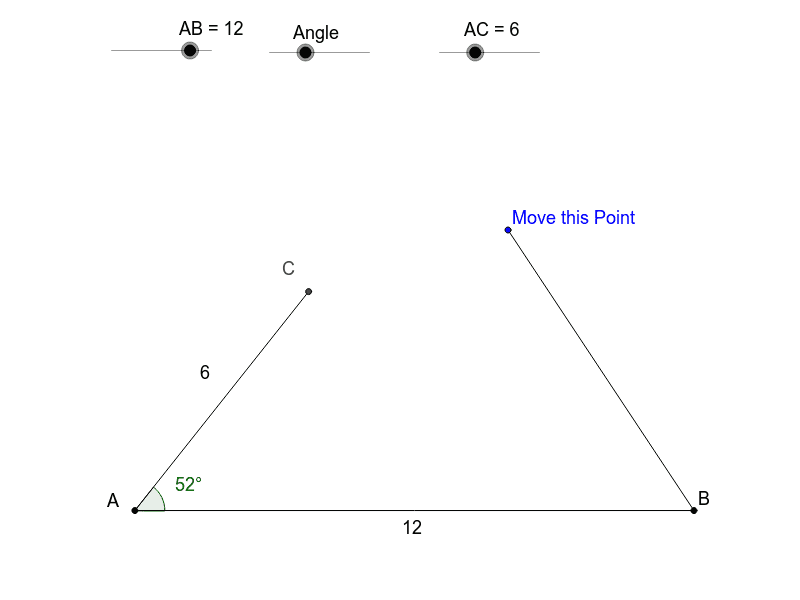
This example allows students to set a side-angle-side combination and determine how many unique triangles can be formed, demonstrating the SAS congruence criterion. It involves core concepts like geometry construction, logic, and triangle properties. GeoGebra commands such as Point, Segment, Rotate, Angle, Circle, Intersect, and Polygon are used to build the model. Ideal for high school geometry instruction to enhance spatial reasoning and understanding of triangle congruence.
GeoGebra Commands & Parameters
Point(Circle[A, abs(AB)]) → BSegment(A, B) → aRotate(B, Angle, A) → B'Angle(B, A, B') → αLine(A, B') → bCircle(A, AC) → cIntersect(c, b) → E, CSegment(A, C) → dSegment(B, D) → eSegment(C, D) → fPolygon(A, C, B) → poly1, b_1, a_2, c_1Angle(poly1) → β, γ, δ
AI Drawing Prompt Reference
Draw a triangle ABC with AB of fixed length and angle A of fixed size. Rotate point B around A to get B' such that angle BAB' equals angle A. Then draw a circle with center A and radius AC, and let it intersect the line through A and B' at point C. Draw line segments BC and AC, and finally connect points A, C, and B to form the triangle, labeling its three angles.
The prompt above was compiled from the original drawing commands and is for reference only.