
Two Dice Random Results
Loading the math board and drawing, please wait…
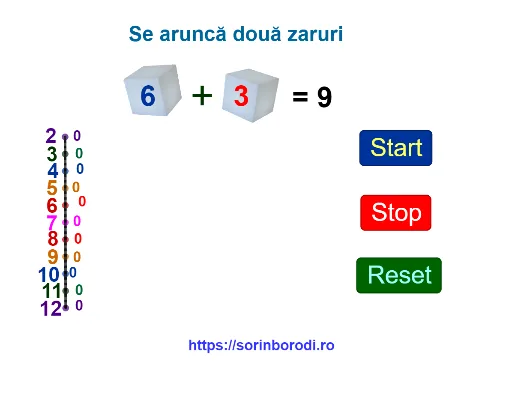
This example demonstrates the random results of two dice. The core mathematical concepts involved are probability and statistics. Using GeoGebra commands such as RandomElement and Intersect, the random throws of two dice can be constructed. Suitable for students at middle school level and above to learn probability and statistics.
GeoGebra Commands & Parameters
RandomElement(zar1) → z1RandomElement(zar1) → z2Intersect(s2 = (0 * s3), s2 = 0) → ALine(B, C) → fPoint(f) → DCircle(D, s2) → cPoint(f) → ECircle(E, s3) → dPoint(f) → FCircle(F, s4) → ePoint(f) → GCircle(G, s5) → gPoint(f) → HCircle(H, s6) → hPoint(f) → ICircle(I, s7) → kPoint(f) → JCircle(J, s8) → pPoint(f) → KCircle(K, s9) → qPoint(f) → LCircle(L, s10) → rPoint(f) → MCircle(M, s11) → tPoint(f) → NCircle(N, s12) → c_1Point(c) → OSegment(D, O) → iPoint(d) → PSegment(E, P) → jPoint(e) → QSegment(F, Q) → lPoint(g) → RSegment(G, R) → mPoint(h) → SSegment(H, S) → aPoint(k) → TSegment(I, T) → bPoint(p) → USegment(J, U) → f_1Point(q) → VSegment(K, V) → g_1Point(r) → WSegment(L, W) → h_1Point(t) → ZSegment(M, Z) → i_1Point(c_1) → A_1Segment(N, A_1) → j_1Segment(O, P) → k_1Segment(P, Q) → l_1Segment(Q, R) → m_1Segment(R, S) → n_1Segment(S, T) → p_1Segment(T, U) → q_1Segment(U, V) → r_1Segment(V, W) → s_1Segment(W, Z) → t_1Segment(Z, A_1) → a_1Segment(D, N) → b_1
AI Drawing Prompt Reference
Draw a diagram simulating random outcomes of two dice. Start with a horizontal line, place several equally spaced points on it, and draw circles of varying sizes centered at these points, representing possible dice results. Then, from each center, pick a random point on the corresponding circle and connect them with a segment, creating a radial pattern. The overall layout shows symmetric circles and segments, illustrating randomness and probability.
The prompt above was compiled from the original drawing commands and is for reference only.