
Trihexaflexagon Animated Model
Loading the math board and drawing, please wait…
In collections
Action Modular Origami
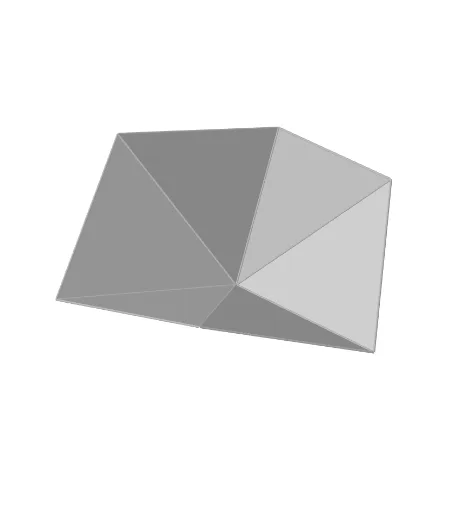
① This example demonstrates a 3D animation of a Trihexaflexagon, a paper-folding model that flexes and transforms. ② Core mathematical concepts include polygons, spatial geometry, rotational transformations, and geometric constructions in origami, such as rhombi, midpoints, and angle bisectors. ③ Construction highlights: from the summary, GeoGebra commands such as Intersect, Circle, Polygon, LineBisector, Line, Rotate, OrthogonalLine, Point, Plane, Sequence, Vector, Translate, and Midpoint are used to build points, lines, polygons, and sequences, enabling the folding animation. ④ Suitable for middle school and above, useful for teaching geometric transformations, solid geometry, or origami mathematics, and as an example of dynamic modeling.
GeoGebra Commands & Parameters
Intersect(xAxis, yAxis) → ACircle(B, A) → dCircle(A, B) → cIntersect(d, c) → C, D, ,Polygon(B, D, 6) → poly1, f, H, g, h, i, j, k, E, F, GLineBisector(E, F) → qLine(A, B) → lLineBisector(E, D) → mRotate(B, If[α ≥ 0°, α, α / 3], m) → B'Line(E, H) → nRotate(D, If[α ≥ 0°, ((-α)) / 3, (-α)], q) → D'Polygon(B', A, D') → poly2, d', b', aOrthogonalLine(A, xOyPlane) → pPoint(p) → IPlane(I, A, B) → bSequence(Rotate[{poly2, Mirror[poly2, b]}, (n * 120°), p], n, 0, 2, 1) → list1Vector((0, 0, If[z(D') > 0, 0, (-z(D'))])) → vLiftTranslate(list1, vLift) → list1'OrthogonalLine(B', xOyPlane) → rIntersect(r, xOyPlane) → JMidpoint(J, B') → KPlane(K, xOyPlane) → eTranslate(Mirror[list1, e], vLift) → list1''Rotate(list1', 60°, p) → list1''_1
AI Drawing Prompt Reference
Draw an animated model of a trihexaflexagon. Start by creating two circles and finding their intersection points. Use these points and another point to create a hexagon. Then, find the diagonals of the hexagon and rotate them to generate a new hexagon. Through rotation and mirroring operations, create a series of hexagons and translate them along a specific plane to form the animation effect. Finally, use rotation and translation to generate the final animation sequence.
The prompt above was compiled from the original drawing commands and is for reference only.