
Trigonometry - Right Triangles: Self Test
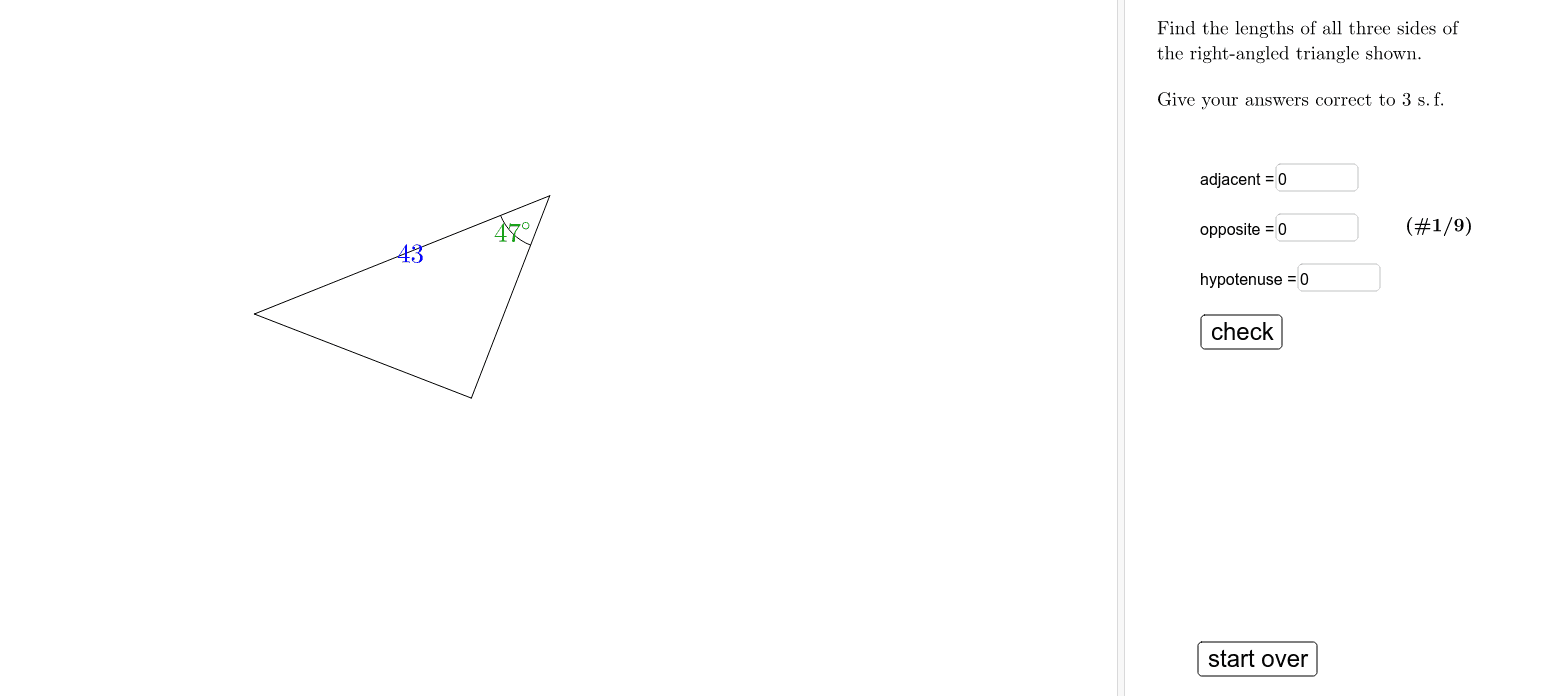
Loading the math board and drawing, please wait…
This example demonstrates the relationships between trigonometric functions and geometric properties in right triangles. It involves core concepts such as trigonometric definitions, side length relationships in right triangles, and the connection between circles and triangles. Constructed using GeoGebra commands like Element, Circle, Segment, Midpoint, CircleArc, Intersect, Textfield, Length. Suitable for high school mathematics teaching and student self-practice to understand the connection between trigonometry and geometric figures.
GeoGebra Commands & Parameters
Element(Element[problem, prnr], 2) → QElement(Element[problem, prnr], 1) → PCircle(P, Length[Segment[P, Q]] / 6) → dSegment(P, Q) → hypSegment(O, P) → adjSegment(O, Q) → oppMidpoint(O, P) → MOPMidpoint(O, Q) → MOQMidpoint(P, Q) → MPQCircleArc(P, (Q + (5 * P)) / 6, O) → cElement(Element[problem, prnr], 3) → angleIntersect(d, adj) → Pangle2,Intersect(d, hyp) → Pangle1,Midpoint(Pangle1, Pangle2) → PangleMElement(Element[problem, prnr], 4) → lengthoElement(Element[problem, prnr], 5) → lengthaElement(Element[problem, prnr], 6) → lengthhElement(Element[problem, prnr], 7) → voElement(Element[problem, prnr], 8) → vaElement(Element[problem, prnr], 9) → vhTextfield(a) → adjBoxTextfield(o) → oppBoxTextfield(h) → hypBoxLength(problem) → length