
Trigonometry on Right Triangles Using Enlargment
Loading the math board and drawing, please wait…
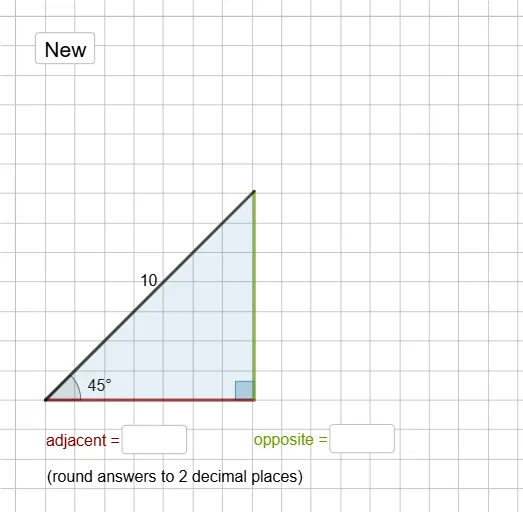
This example explores the trigonometric relationships in right triangles using enlargement. Key mathematical concepts include right triangles, trigonometric functions, and similarity transformations. It utilizes commands like Polygon, Angle, Ray, Intersect, Distance, and Textfield in GeoGebra. Suitable for middle school and above students learning trigonometry and geometric transformations.
GeoGebra Commands & Parameters
Polygon(O, P, Q) → t1, q, o, pAngle(Q, P, O) → αRay(O, Q) → fIntersect(g, f) → AIntersect(c, g, 1) → BDistance(A, B) → distanceABAngle(P, O, Q) → βTextfield(empty1) → InputBox1Textfield(empty2) → InputBox2
AI Drawing Prompt Reference
Draw a right triangle OPQ with O as the right angle. Use enlargement to explore the similarity of the triangle. Draw angle QOP and then draw a ray from O to Q. Take a point A on ray OQ and a point B on circle c such that the distance between A and B is d. Measure the degree of angle POQ and display it in a text box.
The prompt above was compiled from the original drawing commands and is for reference only.