
Trigonometric & Sequence Geometry Application Example
Loading the math board and drawing, please wait…
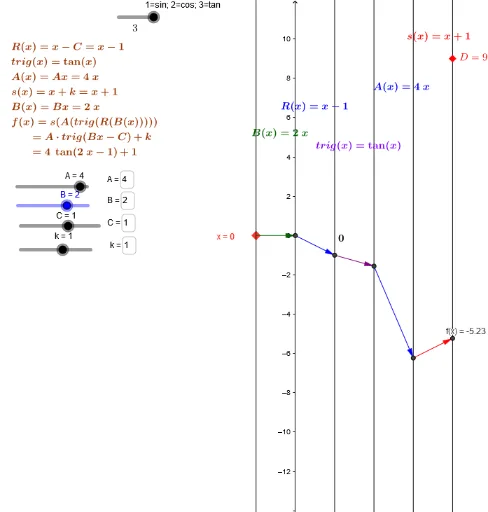
This example dynamically demonstrates the application of trigonometric functions and sequences in geometric figures, showcasing the interaction of elements like similar triangles, spheres, and prisms. Core math concepts include trigonometry, sequences, coordinate geometry, and solid geometry. Construction highlights the use of GeoGebra commands such as Element, Point, Textfield, Vector to build objects like points, vectors, and text fields, with slider animations to illustrate dynamic changes. Suitable for high school and above learners to understand function graphs, geometric transformations, and the integration of sequences with geometry.
GeoGebra Commands & Parameters
Element(trl, fnum) → trigPoint(i) → KElement(atrl, fnum) → atrigElement(atrl2, fnum) → atrig2Textfield(B) → inputBox1Textfield(s) → inputBoxfPoint(b) → A_xVector(K, s_{inv}D) → wVector(s_{inv}D, m_{invSinvD}) → zVector(m_{invSinvD}, q_{inv+}) → dVector(q_{inv+}, I) → h_1Textfield(C) → inputBox2Textfield(k) → inputBox3Textfield(A) → inputBox4Textfield(B) → inputBox5Textfield(s) → inputBox6Vector(m_{invSinvD}, P_2) → uVector(P_2, J) → jVector(I, E) → vVector(J, D) → cTextfield(B) → inputBox7Vector(A_x, F) → mVector(F, G) → nVector(G, H) → pVector(H, L) → qVector(L, M) → r