
Trigonometric Ratios on the Cartesian Plane
Loading the math board and drawing, please wait…
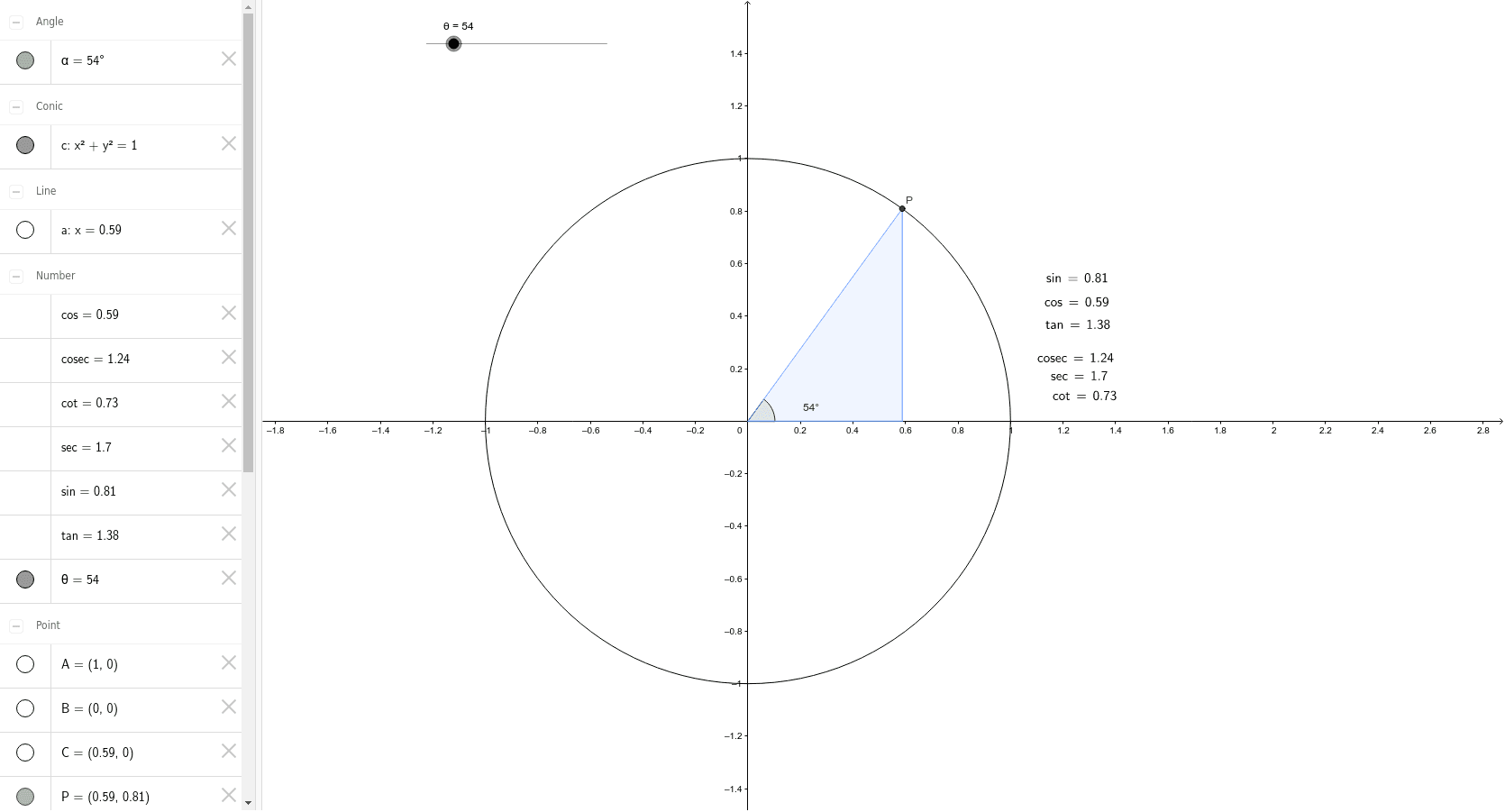
This example demonstrates how to visualize trigonometric ratios (sine, cosine, tangent) on the Cartesian plane by constructing right-angled triangles. Key math concepts include trigonometry, coordinate geometry, and properties of right triangles. It uses GeoGebra commands like Intersect, Rotate, Angle, OrthogonalLine, Polygon, and LaTeX for construction. Suitable for high school students learning the representation and application of trigonometric functions in a coordinate system.
GeoGebra Commands & Parameters
Intersect(c, xAxis, 2) → AIntersect(xAxis, yAxis) → BRotate(A, θ°, B) → PAngle(A, B, P) → αOrthogonalLine(P, xAxis) → aIntersect(a, xAxis) → CPolygon(P, C, B) → poly1, b, p, c_1LaTeX(tan, true, true) → text1LaTeX(sin, true, true) → text2LaTeX(cos, true, true) → text3LaTeX(cosec, true, true) → text4LaTeX(sec, true, true) → text5LaTeX(cot, true, true) → text6