
Trigonometric Projections of Sine and Cosine
Loading the math board and drawing, please wait…
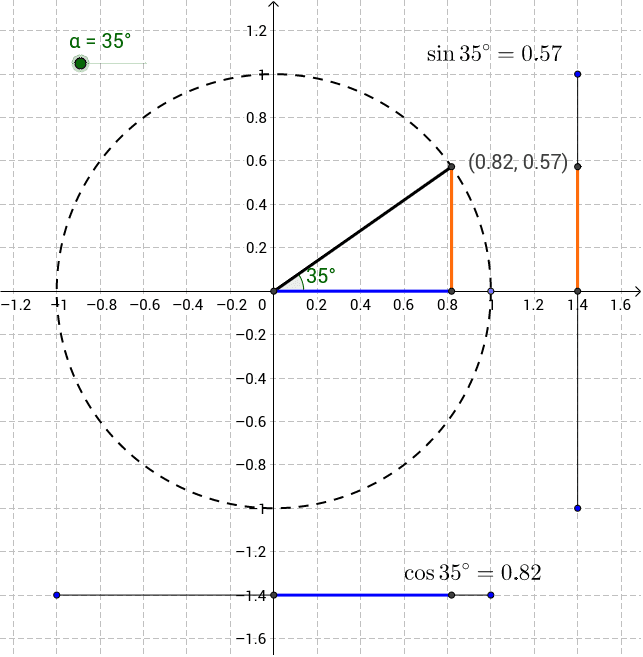
This interactive GeoGebra applet allows students to adjust the rotation angle of a segment around the origin and observe its vertical and horizontal projections, illustrating the geometric definitions of the sine and cosine functions. The core mathematics includes trigonometric functions, the unit circle, angle measurement, coordinate geometry projections, and parametric representations. Construction highlights feature commands such as Intersect, Point, Circle, Segment, Angle, and OrthogonalLine, using objects like α, A, B, and sliders to animate the rotation. Designed for high‑school or early university students, the example serves as a visual aid for teaching the relationship between angles and their trigonometric ratios.
GeoGebra Commands & Parameters
Intersect(xAxis, yAxis) → APoint(xAxis) → BCircle(A, B) → cSegment(A, C) → aAngle(B, A, C) → βOrthogonalLine(C, xAxis) → bIntersect(b, xAxis) → DSegment(C, D) → dSegment(A, D) → eSegment(E, F) → fSegment(G, H) → gIntersect(f, yAxis) → IIntersect(g, xAxis) → JSegment(J, K) → hSegment(I, L) → i