
Trig Ratios and Identities Demo by Philip Collett
Loading the math board and drawing, please wait…
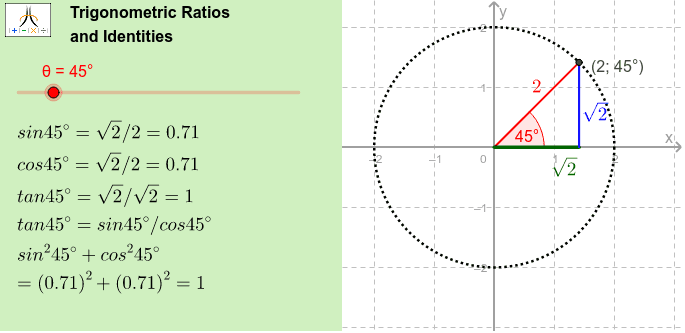
This example demonstrates trigonometric ratios and identities. It involves core math concepts like trigonometry, circle, vector operations, and geometric transformations. Constructed using GeoGebra commands such as Vector, Angle, Circle, Polygon. Suitable for high school mathematics teaching and geometric construction learning.
GeoGebra Commands & Parameters
Vector(A_x, A) → vIf(surd, SurdText[yval], Text[yval]) → ytextIf(surd, SurdText[xval], Text[xval]) → xtextIntersect(xAxis, yAxis) → OSegment(O, A) → aSegment(O, A_x) → χSegment(A_x, A) → γAngle(xAxis, a) → βPoint(a) → CCircle(C, A) → cLength(a) → rMidpoint(a) → mpCorner(1, 1) → Cnr1Corner(1, 2) → Cnr2Corner(1, 3) → Cnr3Corner(1, 4) → Cnr4Polygon(CN1, CN2, CN3, CN4) → Panel, cn1, cn2, cn3, cn4
AI Drawing Prompt Reference
Draw a circle centered at the origin with a point A on it. Connect the origin to A to form a line segment. Mark four points on the circle to form a rectangle. Place a center point inside the rectangle. The overall shape illustrates basic trigonometric and geometric construction concepts.
The prompt above was compiled from the original drawing commands and is for reference only.