
Triangular, Oblong and Square Numbers: A Visual Comparison
Loading the math board and drawing, please wait…
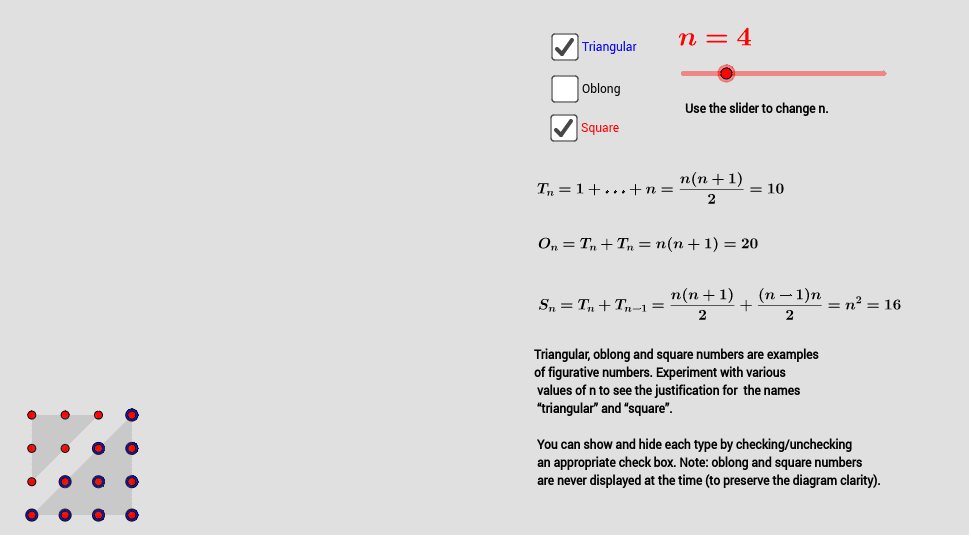
This GeoGebra example dynamically illustrates the geometric relationships among triangular numbers, oblong numbers, and square numbers. The core mathematical concept is figurate numbers—sequences represented by dot patterns or polygonal arrangements: triangular numbers arise from summing consecutive integers, oblong numbers are given by n(n+1), and square numbers are n². The construction uses the Sequence command to generate point arrays and the Polygon command to build corresponding triangles, rectangles, and squares. Sliders (showTriangular, showSquare, showOblong) control the visibility of each shape, while text objects (textForTriangle, textForSquare, textForOblong) display the numerical values. This resource is suitable for middle school or high school mathematics, as well as recreational math, helping students intuitively grasp the connection between algebraic formulas, summation, and geometric patterns. It serves as an interactive tool for exploring properties of figurate numbers.
GeoGebra Commands & Parameters
Sequence(Sequence[(i, j), i, j, n], j, 1, n) → triangularNumbersSequence(Sequence[(i, j), i, 1, n], j, 1, n) → squareNumbersSequence(Sequence[(i, j), i, 1, n], j, 1, n + 1) → oblongNumbersPolygon((1, 1), (n, 1), (n, n), (1, 1)) → trianglePoly, f, g, h, iPolygon((1, 2), (n, n + 1), (1, n + 1), (1, 2)) → oblongPoly, j, k, l, mPolygon((1, 2), (n - 1, n), (1, n), (1, 2)) → squarePoly, p, q, r, s
AI Drawing Prompt Reference
Draw a dynamic graphic showing the geometric relationships between triangles, rectangles, and squares. The graphic should include a triangle, a rectangle, and a square, representing triangular numbers, rectangular numbers, and square numbers respectively. Above the graphic, there should be sliders to control the visibility of the triangle, rectangle, and square. Also include text objects to display the corresponding numerical values. The construction order is to first draw the triangle, then the rectangle, then the square, and finally add the sliders and text objects.
The prompt above was compiled from the original drawing commands and is for reference only.