
Simplify Indices: Random Expression Expansion Practice
Loading the math board and drawing, please wait…
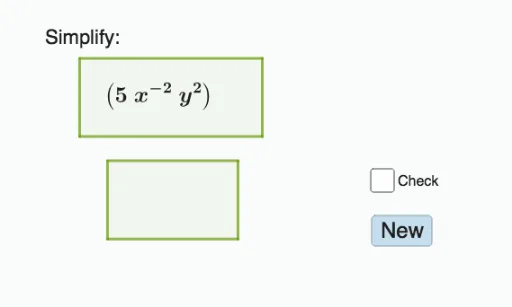
① This GeoGebra example dynamically generates random exponential expressions and demonstrates how to simplify them using the Expand command, making index laws visible and interactive. ② Core mathematical concepts include exponent rules: multiplication of like bases, power of a power, division, negative and zero exponents, all within real number arithmetic. ③ Construction highlights: Random and RandomElement commands select random bases and exponents; Polygon objects provide geometric decoration; the Expand command performs algebraic expansion; objects include list1, points A-H, polygons, a button (button1) to generate new problems, and text elements (text1, text2, text3) for display. ④ Suitable for middle and high school students, this resource serves as a classroom demonstration, self-study tool, or worksheet generator, reinforcing index simplification skills through repeated practice.
GeoGebra Commands & Parameters
Random(-5, 5) → pRandomElement(list1) → rRandomElement(list1) → qRandom(2, 10) → cPolygon(A, B, C, D) → q1, a_1, b, c_1, dPolygon(E, F, G, H) → q2, e, f_1, g_1, hExpand(f) → i
AI Drawing Prompt Reference
Create an interactive educational diagram for practicing index simplification. The center shows a randomly generated exponential expression with integer bases and exponents, possibly involving multiplication, division, or powers of powers. Below it, display the expanded or simplified result, connected by an equals sign or arrow. Decorate the background with two polygons, one in the upper-left and one in the lower-right, in soft colors. Place a button on the right side to generate a new random expression. Add a title text at the top or bottom explaining the practice purpose. Keep the layout clear for classroom or self-study use.
The prompt above was compiled from the original drawing commands and is for reference only.