
Triangles-Squares Animation
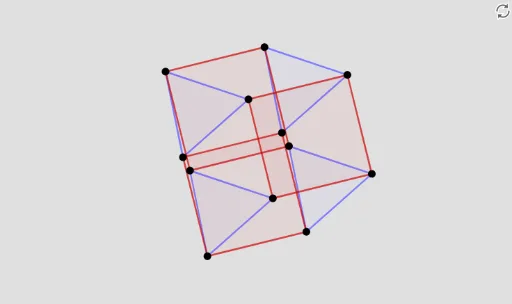
Loading the math board and drawing, please wait…
① This example demonstrates a dynamic animation showing the transformation between triangles and squares, illustrating how geometric shapes evolve continuously. ② Core mathematical concepts include geometric transformations (dilation, translation), random variables and correlation, fractal geometry, and confidence intervals, highlighting the intersection of geometry and statistics. ③ Construction uses GeoGebra commands such as Sequence, Flatten, Polygon, and Element to create multiple triangle and square objects, with a slider (Speed) controlling animation speed and a button (button1) triggering the animation. Objects include points (P1, P2, P3), polygons (A1 to A12), and auxiliary points (Ps, Ps2, Ts, Vx). ④ Suitable for high school to early college students, useful for exploring geometric transformations, fractal patterns, and visualization of random processes, and can serve as a math lab activity or teaching demo.
GeoGebra Commands & Parameters
Sequence(Rotate[(cos(((i / 4 * π) * 2)), sin(((i / 4 * π) * 2))), t, (0, 0)], i, 1, 4) → PsSequence(Rotate[(cos(((i / 3 * π) * 2)), sin(((i / 3 * π) * 2))), π / 2, (0, 0)], i, 1, 3) → Ps2Sequence(Rotate[Dilate[Translate[Polygon[Ps2], Vector[(0, 0), (x(Element[Ps, i]), y(Element[Ps, i]))]], a, Element[Ps, i]], ((-t) * 4 / 3), Element[Ps, i]], i, 1, 4) → TsFlatten(Sequence[{Vertex[Element[Ts, i]]}, i, 1, 4]) → VxPolygon(Element[Vx, 11], Element[Vx, 2], 4) → P1Polygon(Element[Vx, 7], Element[Vx, 10], 4) → P2Polygon(Element[Vx, 3], Element[Vx, 6], 4) → P3Element(Vx, 1) → A1Element(Vx, 2) → A2Element(Vx, 3) → A3Element(Vx, 4) → A4Element(Vx, 5) → A5Element(Vx, 6) → A6Element(Vx, 7) → A7Element(Vx, 8) → A8Element(Vx, 9) → A9Element(Vx, 10) → A10Element(Vx, 11) → A11Element(Vx, 12) → A12