
Triangles Associated with a Square Pyramid
Loading the math board and drawing, please wait…
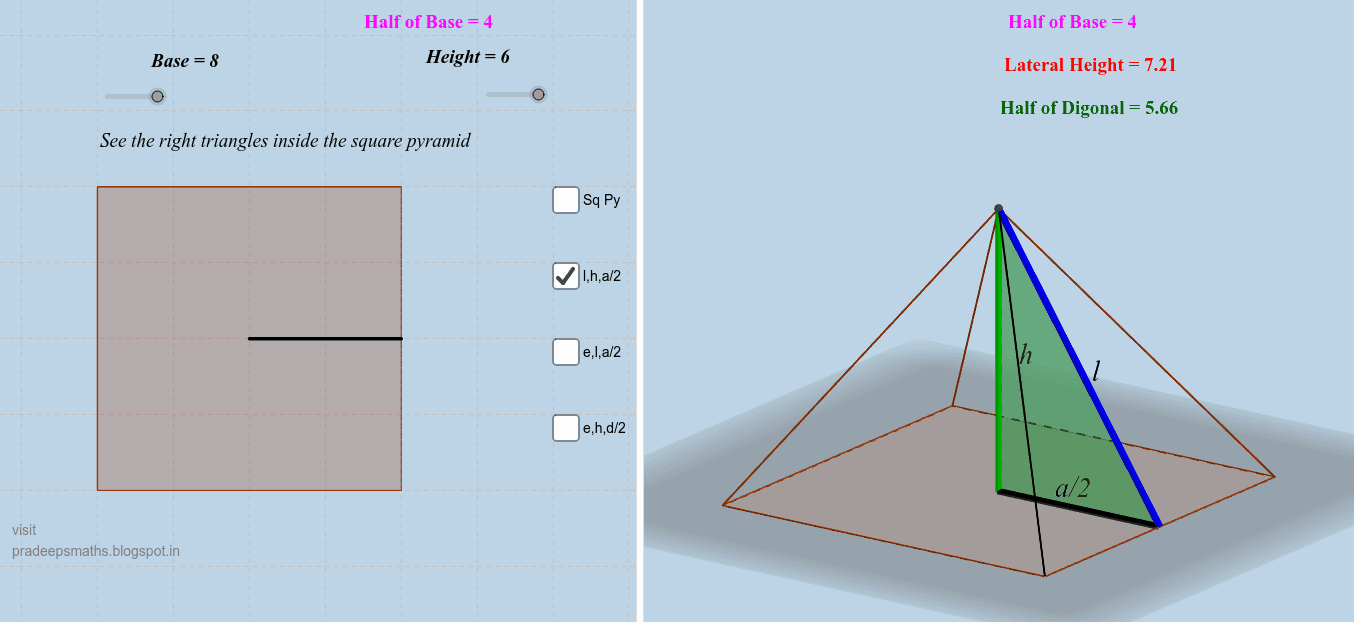
This GeoGebra example explores the various triangles formed within and around a regular square pyramid, demonstrating how planar triangle relationships emerge from a 3D solid. It visually highlights the pyramid's faces, cross-sections, and connecting segments, revealing properties such as similarity, congruence, and trigonometric ratios. Core mathematical concepts include pyramid geometry, triangle classification (isosceles, similar), the tangent function and secant lines applied to spatial figures, and polygon/segment fundamentals. The construction uses GeoGebra commands: Polygon to create the square base, Midpoint for midpoints, Pyramid to generate the solid, and Segment to connect vertices and edges. Key objects include vertices A, B, C, D, E, base poly1, side faces faceABE, faceACE, faceCDE, faceBDE, and edges edgeBE, edgeAE, edgeCE, edgeDE, along with text labels text1, text2, text3 for annotations. This resource is ideal for high school or early college students learning solid geometry, helping them visualize how triangles relate to 3D shapes and trigonometric functions, and can serve as an interactive teaching aid for spatial reasoning.
GeoGebra Commands & Parameters
Polygon(B, A, 4) → poly1, a_3, b_1, c, d, C, DMidpoint(a_3) → GMidpoint(b_1) → HPolygon(E, F, H) → poly2, h, e, fMidpoint(f) → IMidpoint(h) → JMidpoint(e) → KPyramid(poly1, E) → g, faceABE, faceACE, faceCDE, faceBDE, edgeBE, edgeAE, edgeCE, edgeDEPolygon(E, H, A) → poly3, a_1, e_1, h_1Midpoint(a_1) → LMidpoint(h_1) → MMidpoint(e_1) → NSegment(E, A) → kPolygon(E, C, F) → poly4, f_1, e_2, c_1Midpoint(edgeCE) → OMidpoint(e_2) → PMidpoint(h) → Q