
Triangle Side-Angle-Side Construction with Sliders
Loading the math board and drawing, please wait…
In collections
IMP2GBD
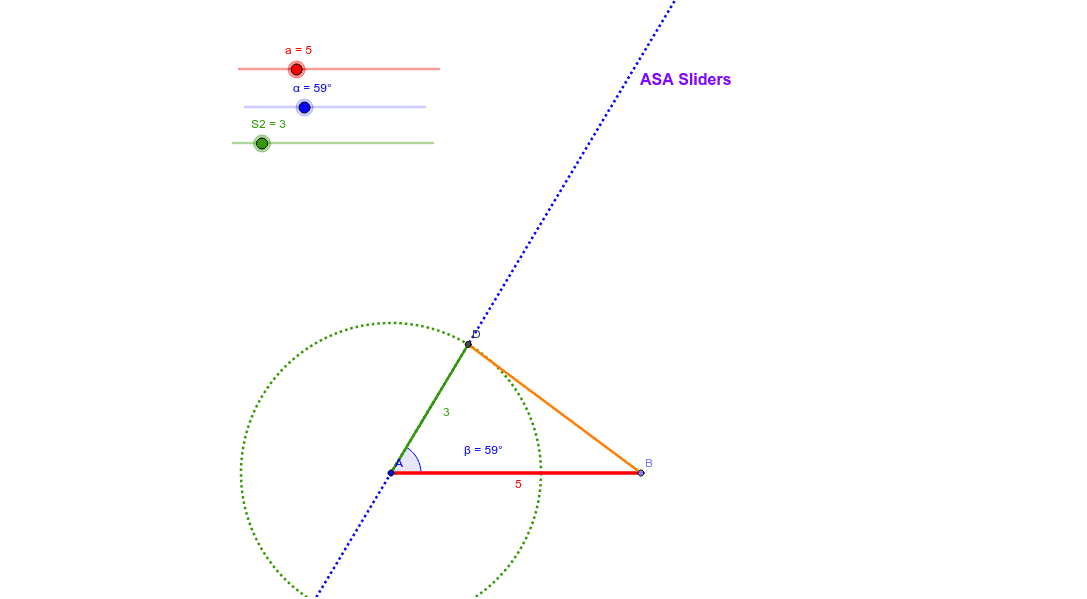
This example dynamically demonstrates the Side-Angle-Side (SAS) property of triangles using sliders, visually showing how two sides and the included angle uniquely determine a triangle. Core math concepts include triangle construction, side-angle relationships, and geometric transformations. Construction highlights the use of GeoGebra commands/objects like Point, Segment, Rotate, Angle, Line, Circle, and Intersect. Ideal for middle school students and math enthusiasts studying geometric proofs and constructions.
GeoGebra Commands & Parameters
Point(Circle[A, abs(a)]) → BSegment(A, B) → bRotate(B, α, A) → B'Angle(B, A, B') → βLine(A, B') → cCircle(A, S2) → dIntersect(d, c) → C, DSegment(D, B) → eSegment(A, D) → f
AI Drawing Prompt Reference
Dynamically demonstrate the Side-Angle-Side (SAS) property of triangles using sliders to show how two adjustable sides and an included angle uniquely determine a triangle, highlighting key geometric objects like points, segments, circles, and intersections, along with rotation and angle relationships, ideal for middle school students and geometry enthusiasts.
The prompt above was compiled from the original drawing commands and is for reference only.