
Triangle Incircle and Ray Intersection Dynamic Geometry Example
Loading the math board and drawing, please wait…
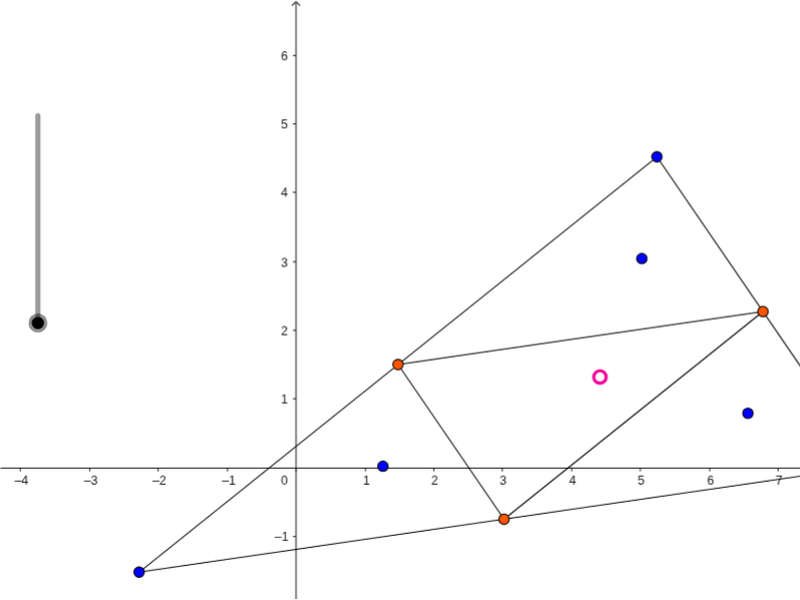
This GeoGebra example demonstrates the construction of multiple incircles within a triangle and the computation of intersection points between rays, segments, and circles. It covers core concepts in triangle geometry, including incircle (Incircle), circle center (Center), midpoint (Midpoint), segment (Segment), ray (Ray), and intersection (Intersect) operations. Objects such as A, B, C define the triangle, while inc_1, inc_2, inc represent the constructed incircles; points G, H, I, J, K, L, M and others mark the resulting intersections. The construction uses GeoGebra commands Segment, Midpoint, Incircle, Center, Ray, and Intersect to build a dynamic diagram that visualizes how circles and lines meet inside a triangular region. Suitable for high school geometry instruction, math club exploration, and teacher-made interactive courseware, helping students understand circle-line intersection counts and classical geometric construction logic.
GeoGebra Commands & Parameters
Segment(B, A) → aSegment(A, C) → bSegment(C, B) → cMidpoint(a) → DMidpoint(b) → EMidpoint(c) → FSegment(D, E) → dSegment(E, F) → eSegment(F, D) → fIncircle(D, B, F) → gIncircle(F, E, C) → hIncircle(E, D, A) → kCenter(k) → GCenter(g) → HCenter(h) → IRay(A, G) → iRay(B, H) → jRay(C, I) → lIntersect(i, d) → JIntersect(l, e) → KIntersect(j, f) → LSegment(B, L) → mSegment(A, J) → pSegment(C, K) → qSegment(D, K) → rSegment(F, J) → sSegment(L, E) → tIntersect(r, t) → M
AI Drawing Prompt Reference
Draw a triangle. Mark the midpoints of its three sides and connect them to form an inner triangle. Construct incircles for the three smaller triangles formed by each original vertex and the two adjacent side midpoints, obtaining their centers. From each original vertex, draw a ray toward the corresponding incircle center; these rays intersect the sides of the inner triangle at three points. Connect each original vertex to its corresponding intersection point, and also connect the inner triangle vertices to these intersection points, creating several segments. Finally, mark the intersection of two of these segments as a highlighted point. The final figure shows a triangle with multiple circles and line segments intersecting inside.
The prompt above was compiled from the original drawing commands and is for reference only.