
Triangle Construction by Nicolas ERDRICH
Loading the math board and drawing, please wait…
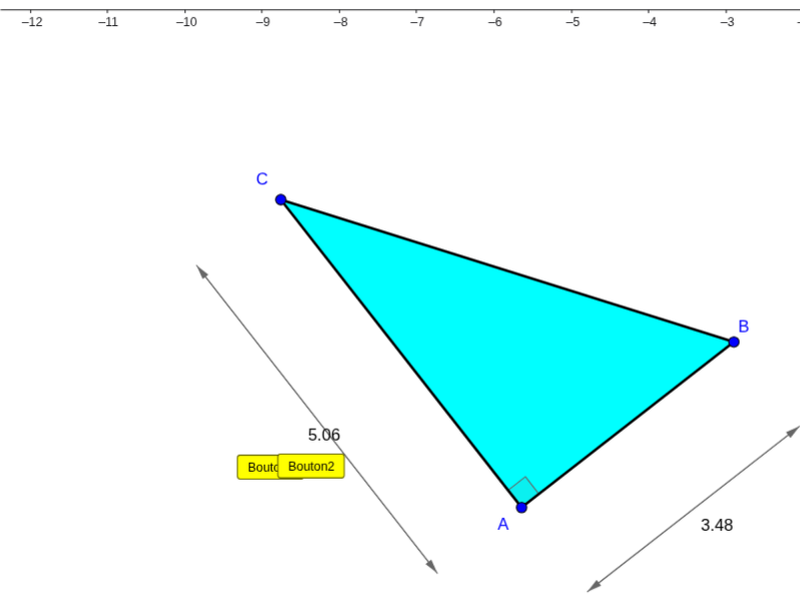
This example demonstrates how to construct a triangle using GeoGebra. Key mathematical concepts include the basic properties of triangles and geometric construction. Using commands like Segment, Polygon, Angle, and Circle, specific angle and side length triangles can be constructed. Suitable for middle school and above students to learn geometric construction and triangle-related knowledge.
GeoGebra Commands & Parameters
Segment(A, B) → bOrthogonalLine(A, b) → cPoint(c) → CPolygon(A, B, C) → poly1, c_1, a_1, b_1Angle(B, A, C) → αOrthogonalLine(B, b) → dOrthogonalLine(A, b) → eOrthogonalLine(A, b_1) → fOrthogonalLine(C, b_1) → gOrthogonalLine(C, a_1) → hOrthogonalLine(B, a_1) → iPoint(h) → DCircle(C, D) → kOrthogonalLine(D, h) → jIntersect(i, j) → GSegment(C, D) → mVector(D, G) → uVector(G, D) → vCircle(B, m) → pIntersect(p, d, 1) → HOrthogonalLine(H, d) → lIntersect(e, l) → ICircle(A, m) → qIntersect(q, f, 1) → JOrthogonalLine(J, f) → nIntersect(g, n) → KVector(K, J) → wVector(J, K) → zVector(I, H) → rVector(H, I) → sSegment(D, G) → tSegment(H, I) → d_1Segment(J, K) → e_1Midpoint(t) → LMidpoint(d_1) → MMidpoint(e_1) → NAngle(A, C, B) → βAngle(C, B, A) → γ
AI Drawing Prompt Reference
Draw a triangle by first creating two segments as the base and sides, then construct the apex using perpendicular lines. Complete the triangle and form a new one by intersecting circles centered at the midpoints of the sides with the original triangle's vertices. Mark the midpoints of the sides and label the angles to illustrate geometric properties.
The prompt above was compiled from the original drawing commands and is for reference only.