
Triangle Construction #1: Basic Triangle with Polygon Command
Loading the math board and drawing, please wait…
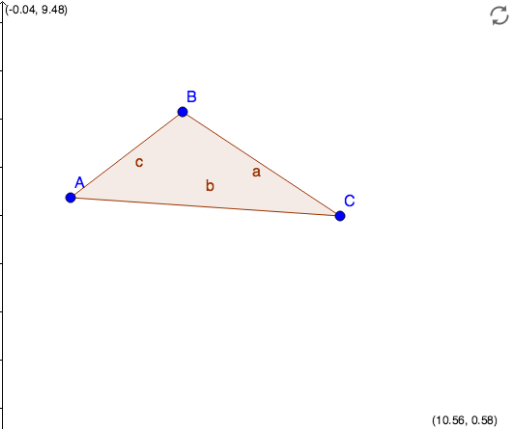
This example demonstrates how to construct a basic triangle in GeoGebra by defining three points A, B, C and using the Polygon command, which automatically generates the triangle's interior (poly1) and its three sides (a, b, c). The core mathematical concept is the definition and geometric construction of a triangle, involving points, line segments, and closed polygons. Construction steps: create three free points A, B, C, then apply the Polygon command to connect them in order; GeoGebra automatically produces the triangle and its edges. This example is suitable for middle school geometry introduction, helping students understand the fundamental components of a triangle and the use of the polygon tool in GeoGebra, and serves as a foundation for more advanced triangle constructions such as medians or angle bisectors.
GeoGebra Commands & Parameters
Polygon(A, B, C) → poly1, c, a, b
AI Drawing Prompt Reference
Draw a basic triangle by creating three free points and using the polygon tool to connect them in order, automatically generating the triangle's interior and its three sides. Illustrate the fundamental geometric concept of a triangle composed of points, line segments, and closed polygons, suitable for beginners to understand the basic components of a triangle and the use of the polygon tool.
The prompt above was compiled from the original drawing commands and is for reference only.