
Triangle Area: Multiple Constructions and Rotation Demo
Loading the math board and drawing, please wait…
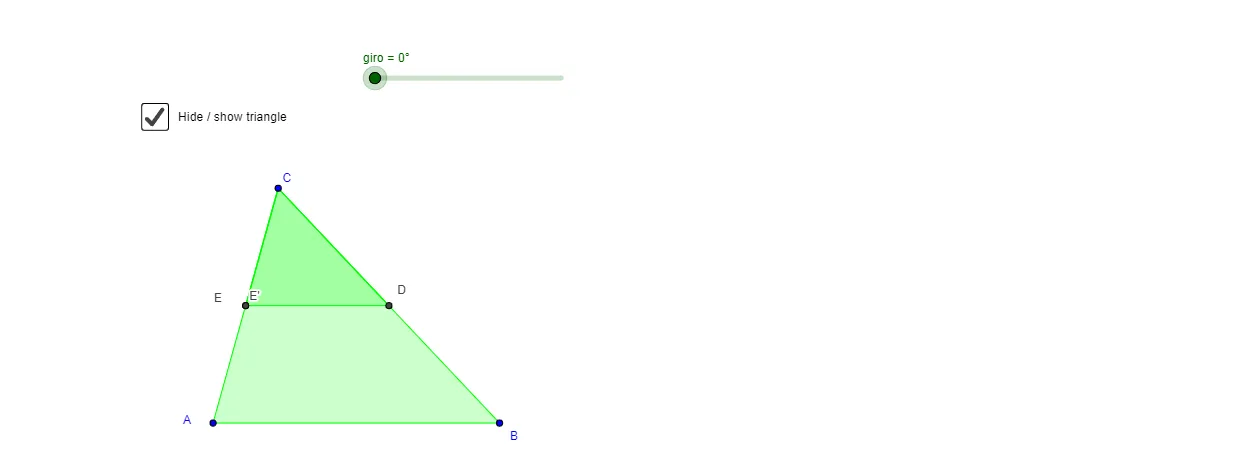
① This GeoGebra example dynamically demonstrates the calculation of triangle area through multiple geometric constructions, including rotations, midpoints, and perpendicular lines, visually showing the invariance of area under transformations. ② Core mathematical concepts include the triangle area formula, coordinate geometry, trigonometric functions, special points (such as midpoints and feet of perpendiculars), and rotation transformations; the tag 'Poisson distribution' appears as a background label but the main focus is geometric area. ③ Construction highlights: using commands such as Segment, Line, Point, OrthogonalLine, Polygon, Midpoint, Intersect, and Rotate, the applet builds several triangles (pol1, pol2, pol3, pol4) and their rotated copies (pol2'), with auxiliary lines, midpoints, and perpendiculars (objects like A_1, B_1, C_1, D_1, E) to derive and verify area relationships. ④ Suitable for middle and high school geometry teaching, to understand area formulas, properties of rotation, and dynamic geometric exploration; also useful as a teacher demonstration tool.
GeoGebra Commands & Parameters
Segment(A_1, B_1) → BaseLine(C_1, Base) → bPoint(b) → D_1OrthogonalLine(D_1, Base) → kPolygon(A, B, C) → pol1, g, e, fMidpoint(e) → DLine(D, g) → hIntersect(h, f) → EPolygon(D, E, C) → pol2, c, d, e_1Rotate(D, (-giro), D) → D'Rotate(E, (-giro), D) → E'Rotate(C, (-giro), D) → C'Polygon(D', E', C') → pol2', c', d', e'Polygon(A, B, D, E) → pol3, a, b_1, d_1, e_2Polygon(D, C, E) → pol4, e_3, d_2, c_1
AI Drawing Prompt Reference
Draw a triangle and demonstrate that its area remains invariant under various geometric constructions. Start with a base segment, pick a point on it, and draw a perpendicular line from that point to the opposite side. Then construct the original triangle, take the midpoint of one side, and draw a line from this midpoint to the opposite vertex, intersecting another side. This creates two smaller triangles and a quadrilateral. Next, rotate one of these triangles around a vertex by a certain angle to obtain its rotated copy. Finally, shade or color the different triangles and quadrilateral to visually show that the areas before and after rotation are equal.
The prompt above was compiled from the original drawing commands and is for reference only.