
Trapezoid Diagonals Investigation
Loading the math board and drawing, please wait…
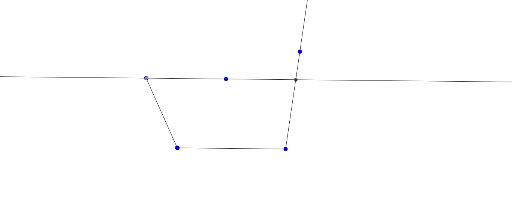
This example demonstrates the properties and relationships of diagonals in a trapezoid. It involves core mathematical concepts such as polygons, inequalities, and geometric construction. The construction uses commands like Segment, Rotate, Line, Point, Ray, and Intersect in GeoGebra. Suitable for middle school and above students to explore geometric properties and for teaching demonstrations.
GeoGebra Commands & Parameters
Segment(A, B) → fRotate(A, 90°, A) → A'Rotate(A, 90°, A) → A'_1Rotate(A, 90°, A) → A'_2Rotate(A, 90°, A) → A'_3Line(D, f) → hPoint(h) → CSegment(C, A) → gRay(B, E) → iIntersect(h, i) → F
AI Drawing Prompt Reference
Draw a trapezoid by first creating a base segment. Then, using one endpoint of the base as a pivot, rotate that endpoint by 90 degrees four times, resulting in overlapping auxiliary points. Next, draw a line through the other endpoint of the base and the pivot point, and choose a point on this line as one vertex of the trapezoid. Connect this vertex to the pivot to form a side. From the other endpoint of the base, draw a ray that intersects the line, marking the intersection as the fourth vertex. The final figure shows a trapezoid with its diagonal intersection point.
The prompt above was compiled from the original drawing commands and is for reference only.