
Trapezoid Area Demonstration
Loading the math board and drawing, please wait…
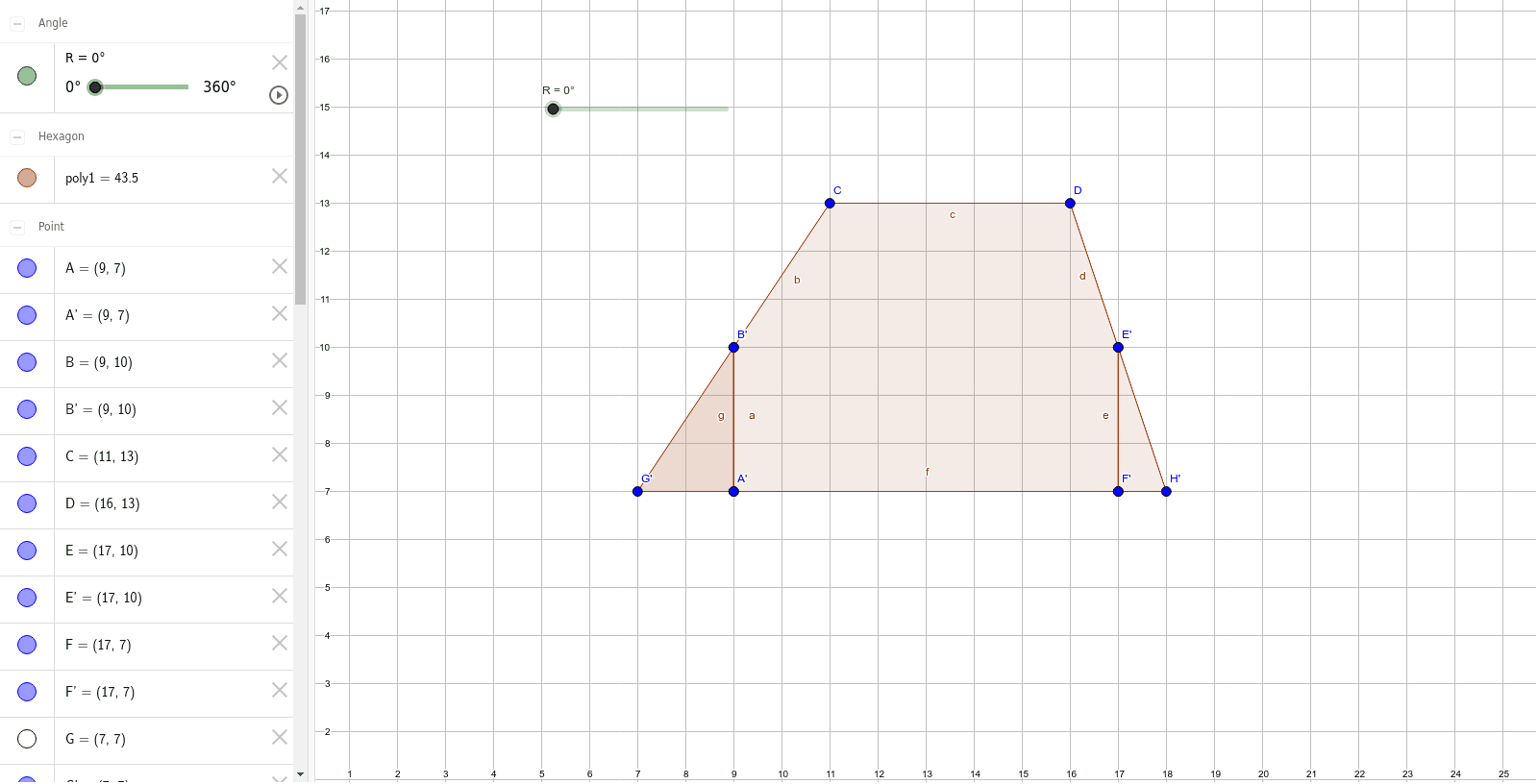
① This example demonstrates the calculation of a trapezoid's area and its symmetry properties. ② Core mathematical concepts include the trapezoid area formula, arithmetic mean, symmetry transformations, and relationships among line segments and secants. ③ Construction highlights: the Polygon command creates the initial trapezoid; the Rotate command replicates vertices and edges to produce additional polygons poly1, poly2, poly3 and associated points A, B, C, D, E, F, G, H, R, illustrating the symmetric figures obtained by rotation. ④ Suitable for middle‑school geometry lessons on area derivation and as an introductory GeoGebra geometric construction case study.
GeoGebra Commands & Parameters
Polygon(A, B, C, D, E, F) → poly1, a, b, c, d, e, fPolygon(G, B, A) → poly2, a_1, g, b_1Polygon(F, E, H) → poly3, h, f_1, e_1Rotate(G, R, B) → G'Rotate(B, R, B) → B'Rotate(A, R, B) → A'Polygon(G', B', A') → poly2', a', g', b'Rotate(F, R, E) → F'Rotate(E, R, E) → E'Rotate(H, R, E) → H'Polygon(F', E', H') → poly3', h', f', e'
AI Drawing Prompt Reference
Draw a six-vertex polygon resembling a trapezoid, then construct two triangles inside it, one on the left and one on the right. Rotate the left triangle around one of its vertices to create a new triangle, and similarly rotate the right triangle around one of its vertices to produce another new triangle. The final figure includes the original polygon, the two inner triangles, and the two rotated triangles, showing symmetric transformations for area demonstration.
The prompt above was compiled from the original drawing commands and is for reference only.